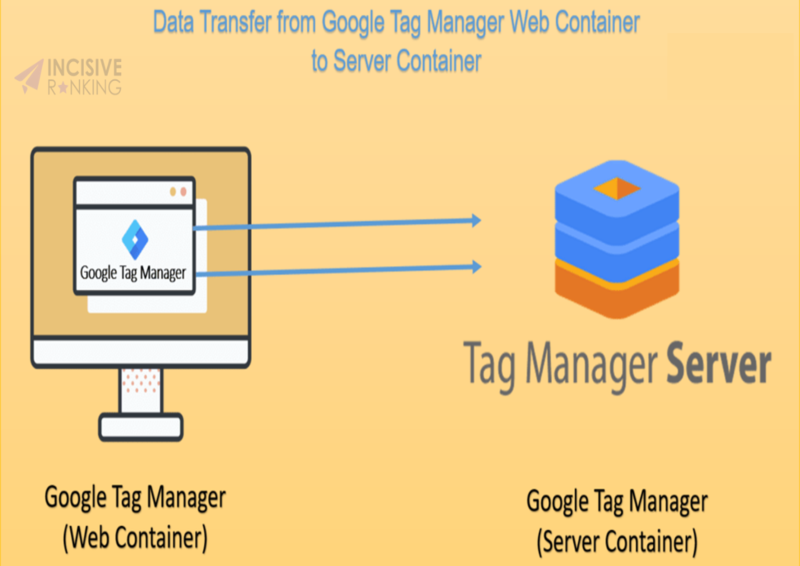
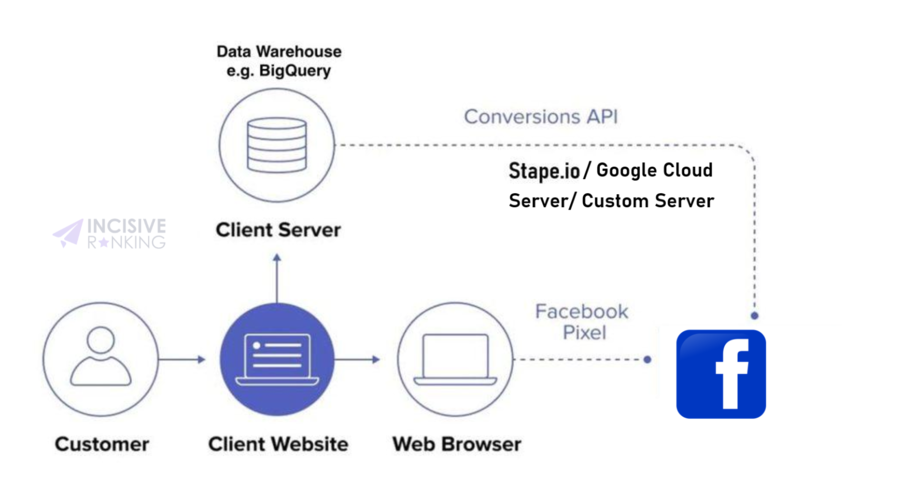
A client-side tracking website uses a container on the page to transfer measurement data to multiple third-party tracking platforms. This container operates on the user's browser and has a direct connection to your tracking tools' mother server.
Server side tracking bridges the gap between the two by allowing you to develop your tracking server side container. Google Tag Manager server side tagging is hosted on the servers (Like Google Cloud Platform, Stape.io, or your server) and functions as a middleman between your client-side tracking and marketing vendors.
Data is delivered from the browser to the GTM server-side instance and then forwarded to your tracking tools. This allows you to control data from being sent to your tracking tools and save data resources, resulting in a better user experience.
In this blog, I will walk you through the process of configuring Google Tag Manager server side tagging.
The best time to learn about Google Analytics 4 is now, as Universal Analytics is being phased out gradually. GA4 is a fully redesigned platform as compared to earlier iterations. New steps to configure, new data model, new interface, new tag template in Google Tag Manager, etc.
Most teams that set up GTM server-side tracking hit the same wall: the web container and server container aren't talking to each other correctly. Data gets lost, events don't fire, and you're left guessing whether your server-side setup is actually working.There are two ways to send data from your GTM web container to the server containerthe native GA4 transport method and Stape.io's Data Tag. The native method works for basic GA4 setups, but it has limitations: it can't send data arrays, it requires manually mapping every variable, and it gives you no way to transform or store data between pages.This guide shows you how to use the Data Tag + Data Client method to transfer data from your web container to your server container with the exact configuration we use for client setups.
Pinterest Analytics helps you understand the overall performance of Pinterest Ads. It shows you what paid and organic published content are of customer interest on Pinterest.You get a proper insight from Pinterest Analytics that can help you enhance your decision making and customize your content. Like, if you are getting the maximum impression through mobile then you can optimize your website for mobile. Likewise, if you find that a certain product is driving business the you can decide upon featuring that product in more pins.
The Facebook Conversion API (CAPI), originally known as the Facebook Server-Side API, was created to assist businesses in providing targeted advertising experiences to clients while also maintaining data privacy. Because FB CAPI does not rely on browser cookies, it is ready for a cookie-free future.Many browsers now block third-party cookies by default, there are ad and cookie blocker add-ons for most browsers, and even Apple, with the iOS 14 upgrade, has tightened the leash on data collected from their customers.CAPI is an excellent answer to this issue. Businesses can track conversions even if users' cookies are restricted or disabled. It also delivers more precise and dependable conversion data than cookies.