
No products in the cart.
Snapchat Conversion API (CAPI) and Pixel Setup
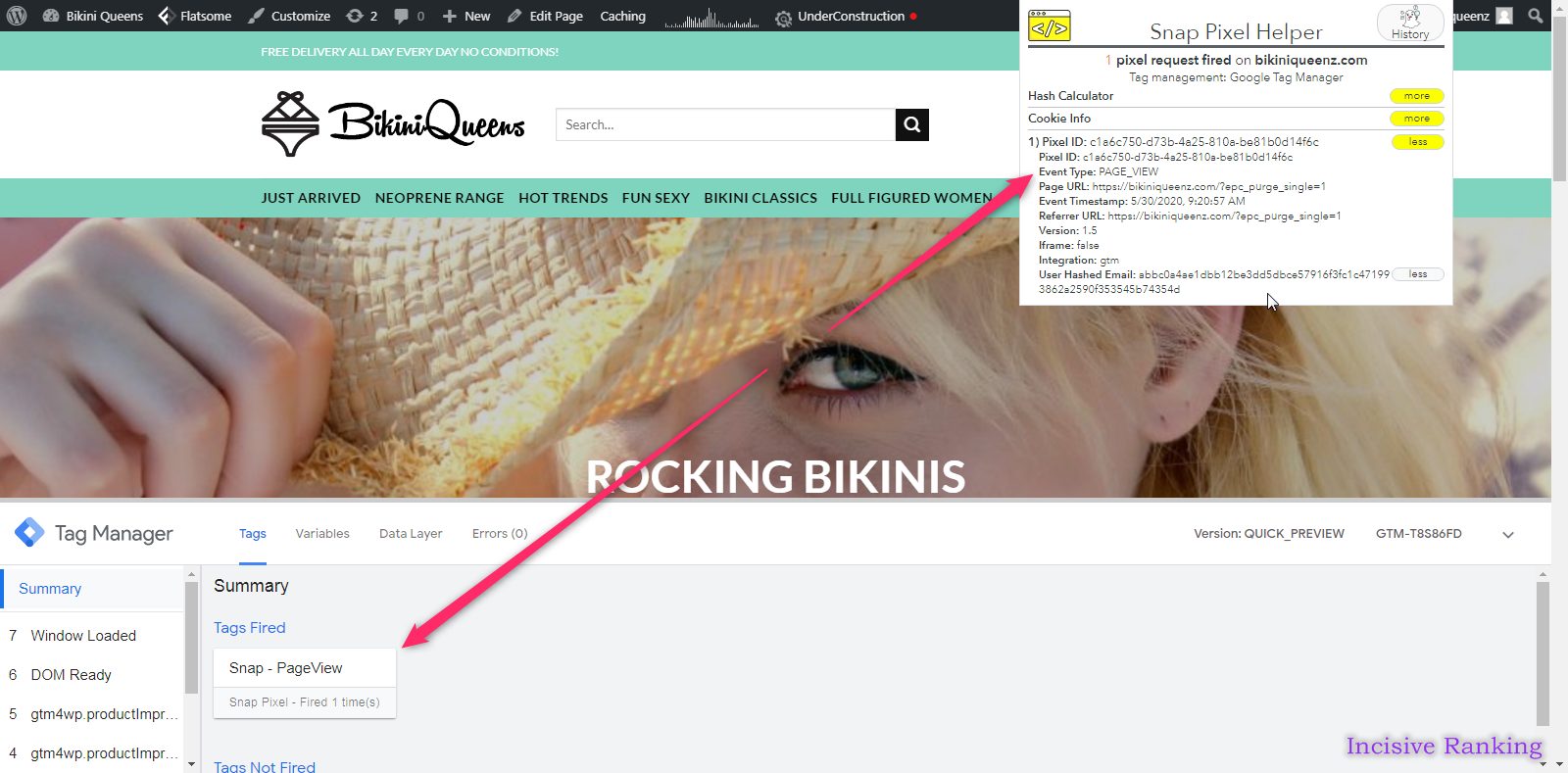
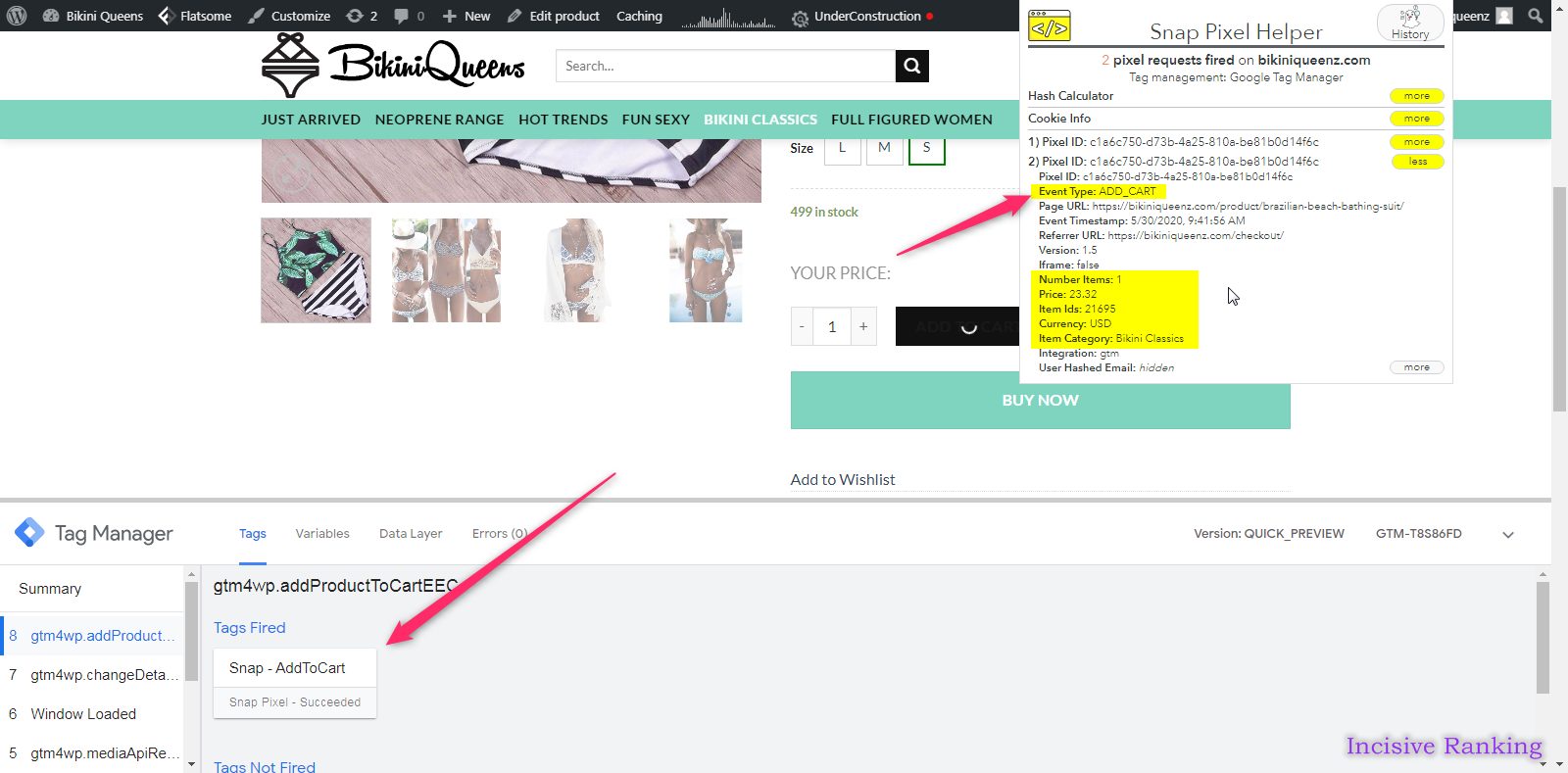
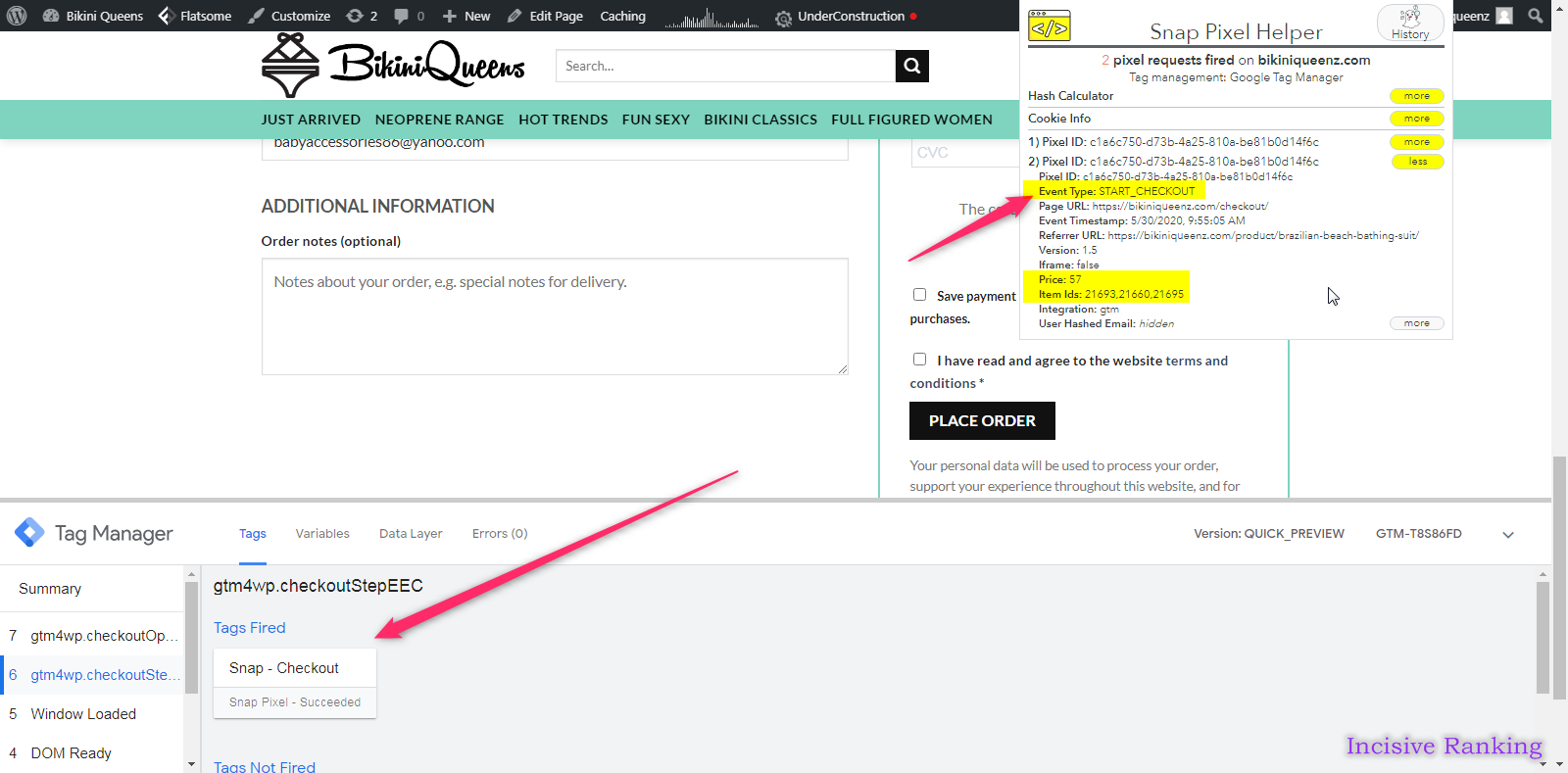
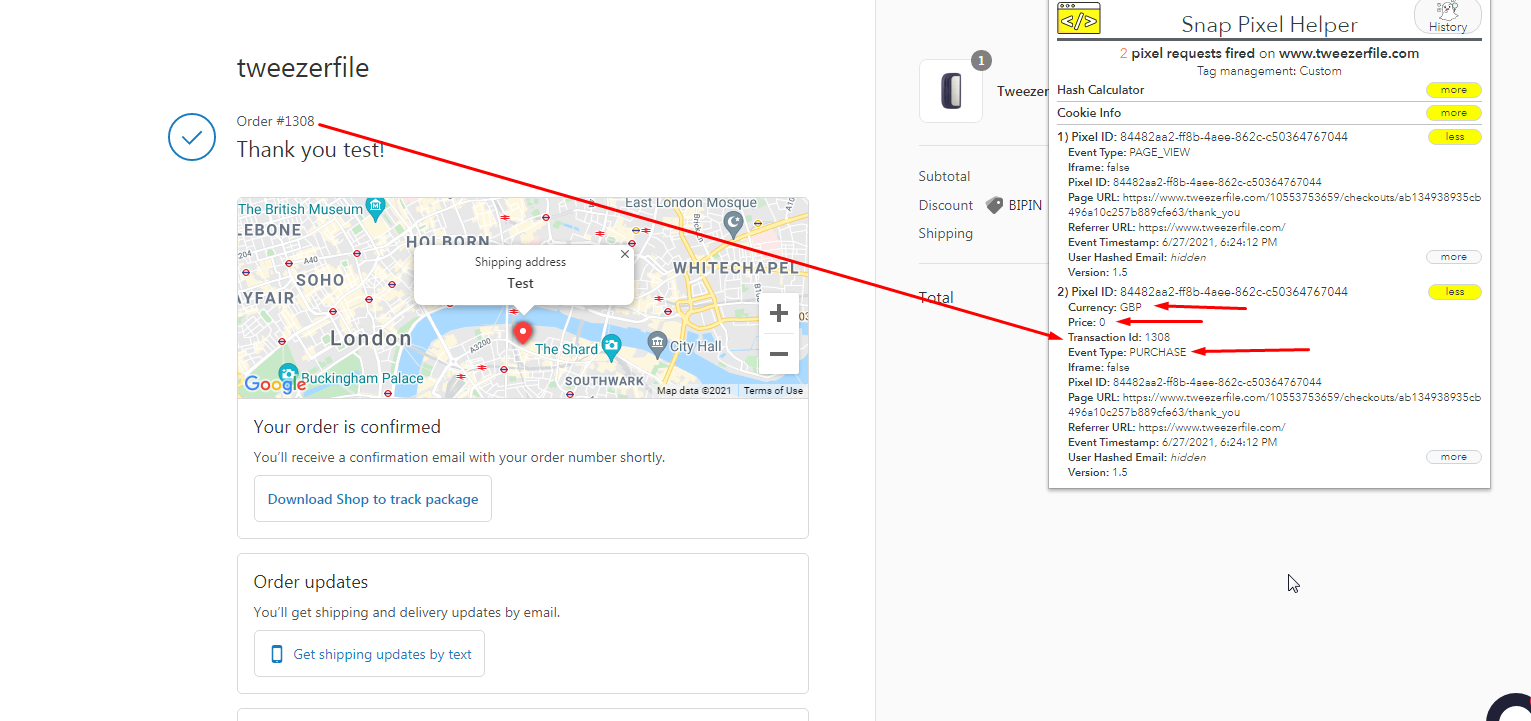
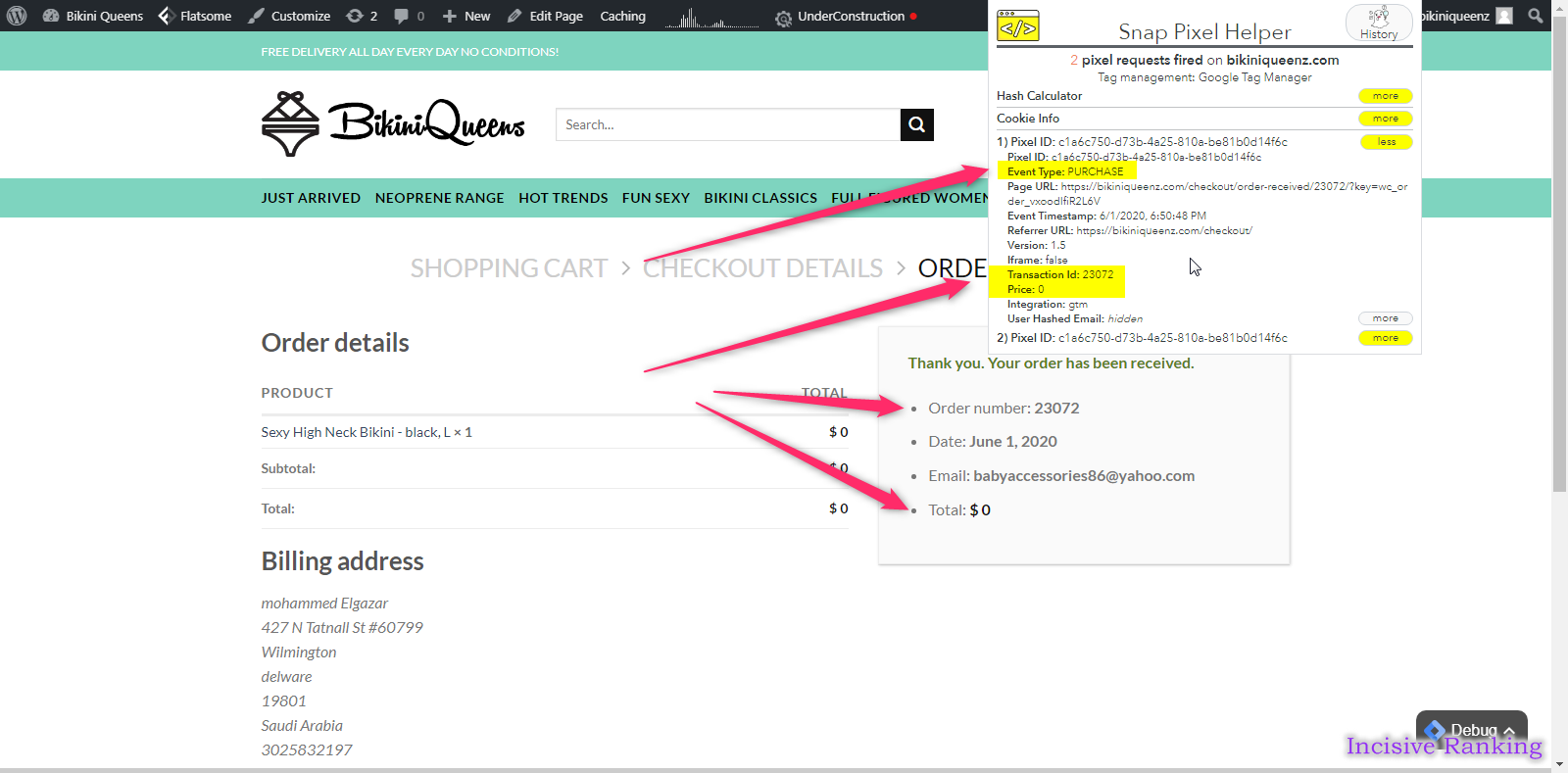
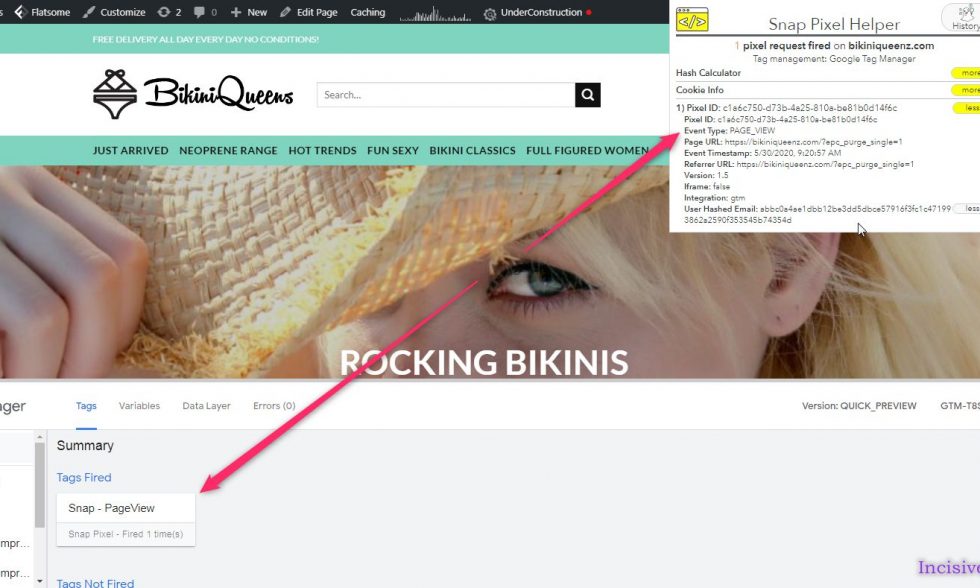
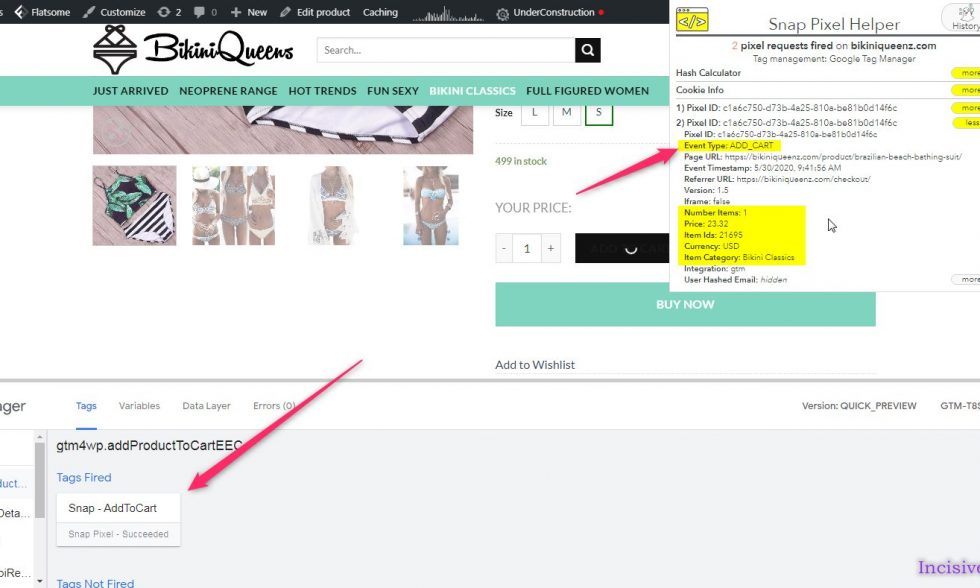
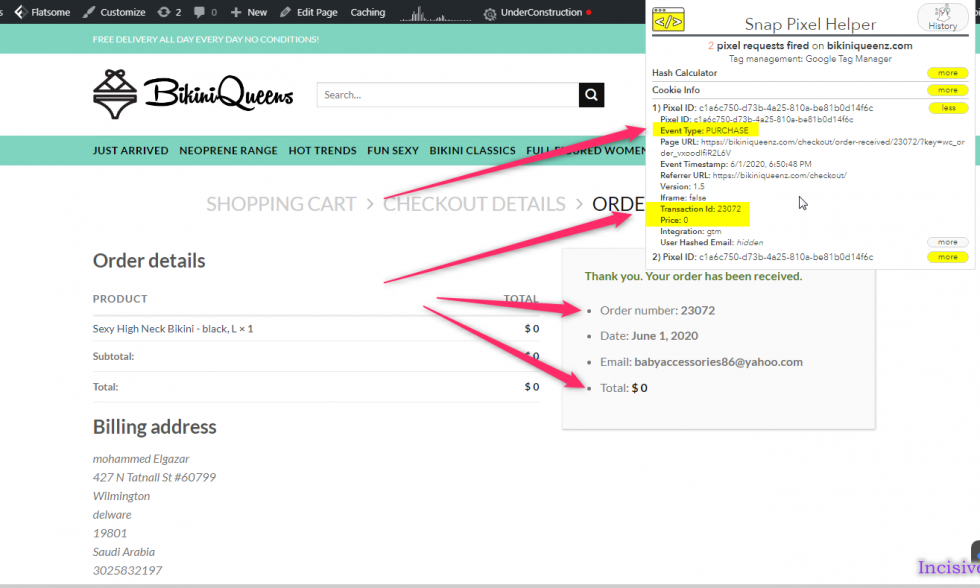
Here, I have attached the Successful Past Projects’ Results of my previous clients for Snapchat Conversion API (CAPI) and Pixel integration.
✅ Services Included in This Setup:
We don’t just install tags—we solve problems and maximize accuracy. Here are the core features delivered in our advanced Snapchat CAPI + Pixel setup:
- ✔ Snapchat Conversion API Setup (Server‑Side Tracking)
- ✔ Complete Snapchat Pixel configuration and optimization
- ✔ eCommerce Conversion Tracking: ViewContent, AddToCart, InitiateCheckout, Purchase
- ✔ Event de‑duplication between Pixel and CAPI
- ✔ Advanced event matching parameters (email, phone, name, location)
- ✔ Fixes for Pixel diagnostics and post‑iOS 16 updates
- ✔ Custom Data Layer implementation for dynamic values (order value, currency, transaction ID)
- ✔ Support across Shopify, WooCommerce, Magento, WordPress, and custom store platforms
🛠️ Fixes for Common Snapchat Tracking Issues
We often resolve:
- ❌ Missing conversions in Snapchat Ads Manager
- ❌ Events duplicated or not firing correctly
- ❌ Pixel not triggering on thank-you or checkout pages
- ❌ Misconfigured or broken CAPI setup
- ❌ Low event quality scores hindering Smart Bidding optimization
🎯 Capturing Rich Conversion Data
We ensure every action is captured, including:
- Product ID, Quantity, Name, Order Value, Currency, Transaction ID
- Custom events: Form submissions, Call clicks, Mail clicks
- Snapchat-specific identifiers:
ttclid, hashed first-party data
This hybrid implementation safeguards tracking accuracy under privacy restrictions
🚀 Why This Snapchat Setup Works
- Recovers Lost Conversions – captures data lost due to cookies or iOS restrictions
- Empowers Campaign Performance – deduplicated browser + server events fuel better ad optimization
- Resilient to Privacy Changes – dual-layer tracking keeps performance stable amidst updates
- Privacy-Compliant & Secure – hashed user data, server-to-server delivery ensures user trust.
👨💻 Why Clients Choose Incisive Ranking
We’re more than implementers—we’re conversion accuracy strategists. With over 8 years of experience and 2,500+ projects, we specialize in:
- 🏷️ Snapchat Pixel & Conversion API integration
- 📊 Google Tag Manager & Server‑Side Tagging
- 🛒 eCommerce & conversion tracking across Shopify, WooCommerce, WordPress, Magento
- 🔄 Cross-platform server-side tracking: Meta, GA4, Google Ads, TikTok, Pinterest, Snapchat
- 🎥 Setup walkthrough videos and 3‑month support
- 🛠️ Audit-ready transparency and optimized dashboards
✅ Ready to Track with 90–95% Accuracy?
Book a Free 30‑minute Tracking Transformation Call and unlock reliable, privacy-first Snapchat conversion tracking with CAPI + Pixel Setup.
Are your Snapchat Ads not optimized due to Conversion Tracking not being set up correctly?
Snapchat Pixel Tracking
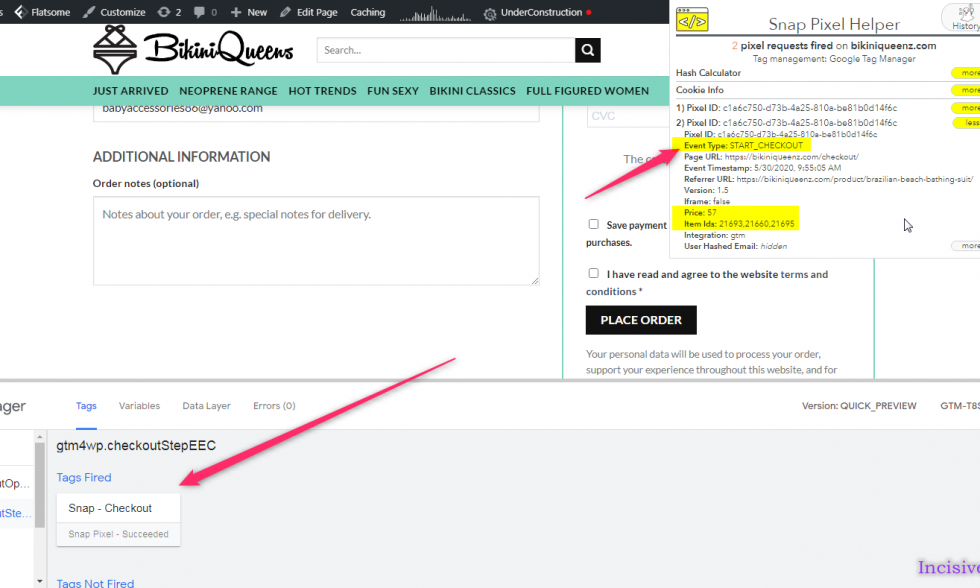
What is the Snapchat Conversion API?
Snapchat Conversion API is a tracking tool similar to Pinterest Ads tracking tool, Snapchat tags enable advertisers to measure the performance of their advertising and better understand how people interact with their website or app after clicking on a Snapchat ad.
How does Snapchat Conversion API work?
Snapchat Conversion API works by embedding a small bit of Snapchat Pixel code on an advertiser’s website or app that tracks behaviours like page views, purchases, and sign-ups. When a user clicks on a Snapchat ad and performs an action on the advertiser’s website or app, the Snap CAPIcode is configured to track, the Snapchat CAPI events, record the action and send it back to Snapchat Pixel Art. Remember to implement the Snapchat Pixel ID through Google Tag Manager or any other plugin.
Advertisers can utilize this data to assess the efficacy of their Snapchat ads, optimize them, and retarget consumers who have previously expressed interest in their products or services. An advertiser, for example, could utilize Snap CAPI data to develop bespoke audiences based on people who have already visited their website or app and then show them tailored advertising on Snapchat.
Snap CAPI also includes advanced features like offline conversions tracking, which allows advertisers to track in-store purchases made by users who have interacted with their Snapchat ads, and Lookalike Audiences, which uses Snap Pixel data to find new users who are similar to an advertiser’s existing customers.
How is the Snapchat Conversion API setup?
To utilize Snap Conversion API, first install the Snapchat Pixel code on your website or app, and then build a Snapchat pixel event to track the actions you want to track. Here are the instructions for configuring Snap Pixel:
- Create a Snapchat Ads account: If you don’t have a Snapchat account, then do so by visiting ads.snapchat.com and following the steps.
- Set up Snap Pixel: In your Snapchat Ads account, go to the “Snap Pixel” tab and select “Create Snap Pixel.” Follow the steps to create a new Snap Pixel, which will provide you with a pixel ID to place on your website.
- Install Snap Pixel: After you’ve obtained your Snap Pixel ID, you’ll need to place the pixel code on your website. This is accomplished by inserting the Snap Pixel code into the header of your website, or by employing a tag manager such as Google Tag Manager.
- Create Snap Pixel events: After you’ve installed your Snap Pixel, you may create events to track specific behaviours you wish to track, such as page views, purchases, or sign-ups. Go to your Snapchat Ads account’s “Events” tab and click “Create Event.” Create a new event by following the instructions and selecting the parameters you wish to track.
- Setup Snap CAPI tracking: Finally, setup the Snapchat CAPI tracking through Google Tag Manager by creating the necessary Tags and Triggers. Now the data that is captured in the Snapchat report can be used to assess the efficacy of your ad campaigns, adjust ad targeting, and generate bespoke audiences. Install the Snap Pixel Helper to get a clear view of the events getting tracked on your website.
Benefits of using the Snapchat CAPI Tracking
The key benefits of installing the Snapchat Pixel Tracking are as follows:
- Measuring important conversion events: You can see all activities that occur on your site, across all devices, and attribute conversions back to your ad campaigns to determine their genuine impact.
- Finding the right audience: You can create Pixel Custom Audiences and Lookalike Audiences based on the actions Snapchatters took while visiting your website.
- Optimizing campaigns to reach people who are most inclined to act: You can use real-time information to optimize campaign delivery for the outcomes that matter most to your business.
Conclusion
In conclusion, Snapchat Conversion API tracking is a powerful tool for any business running Snapchat ad campaigns. It allows you to measure the true impact of your ads, refine your targeting, and ultimately boost your ROI. So, if you’re not already using the Pixel, it’s worth a try!
Feel free to ask if you have any further questions about Snapchat Pixel tracking or need help getting started with the process. You may also refer to “snapchat pixel helper” for details.
Let’s Audit First, Why is it Required?
Tracking errors can greatly affect your Data, Conversion Reporting, strategic Decision-Making and that Cost you in Revenue.
First, I audit your website’s current Tag & Tracking configuration. Then I will share errors/recommendations with their solutions as the best practices the industry follows. I can also help you to implement it the right way.
I am available here!
Find Me On


