
No products in the cart.






Facebook Conversion API (CAPI) and Pixel Setup
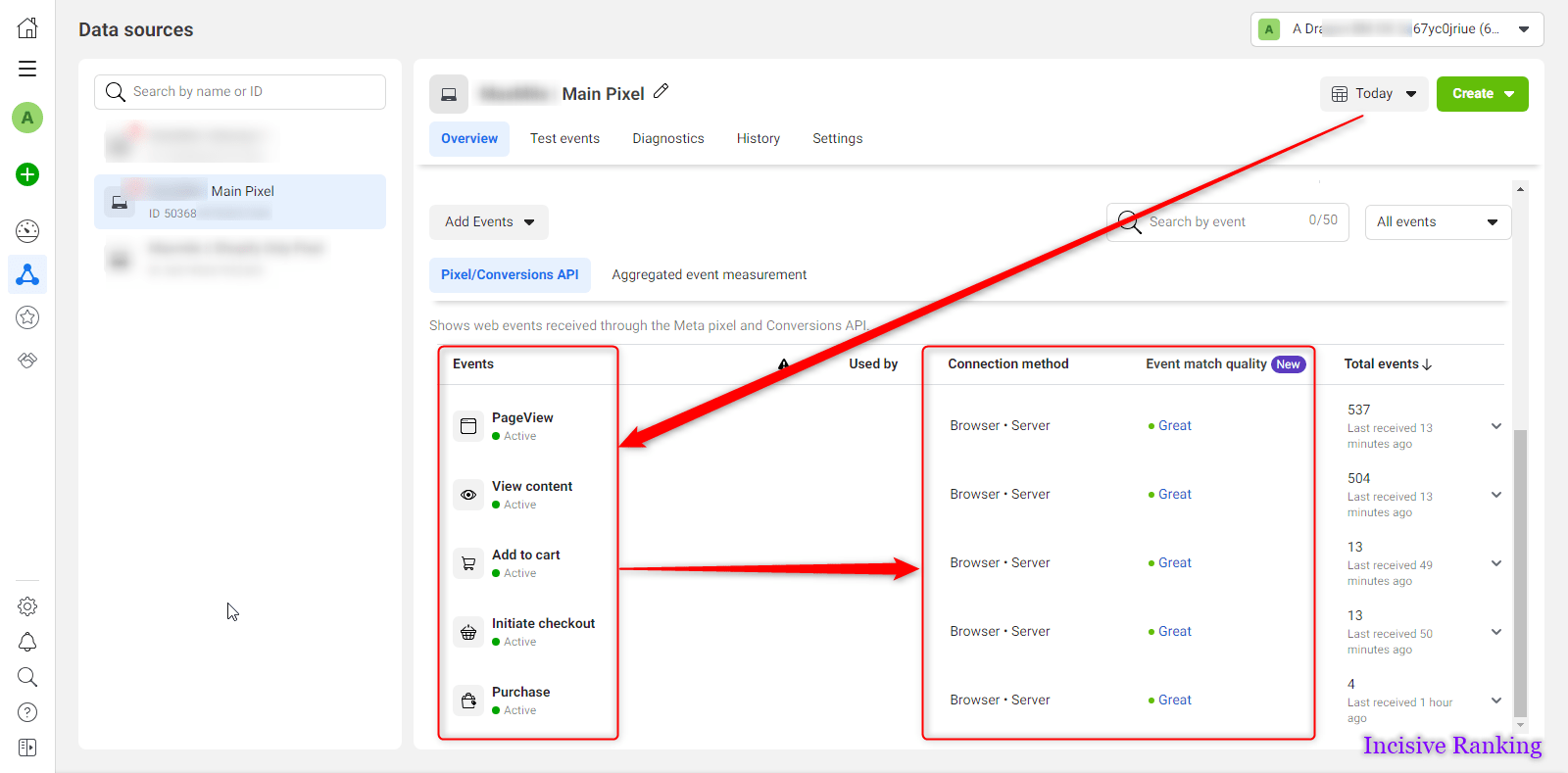
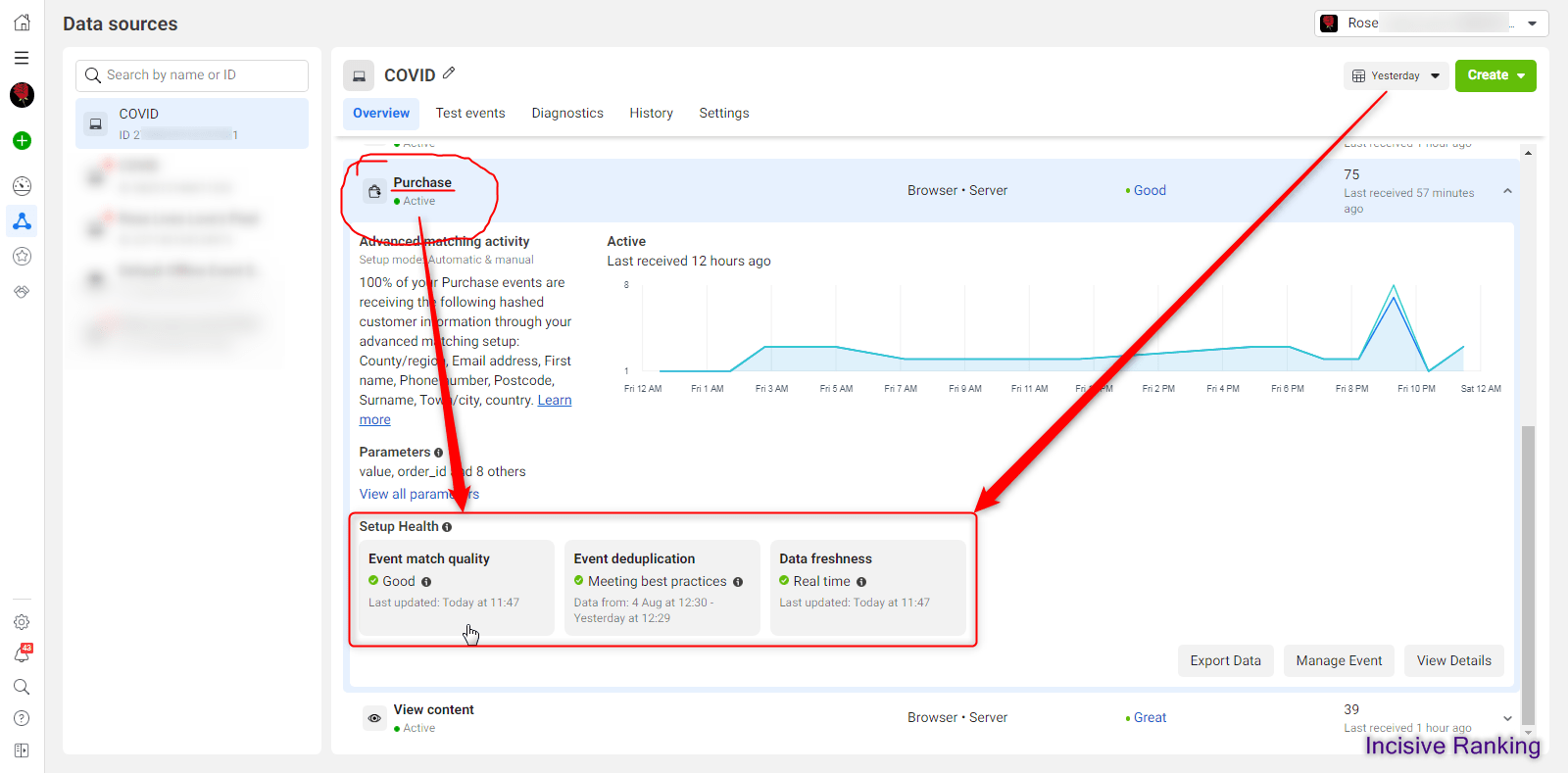
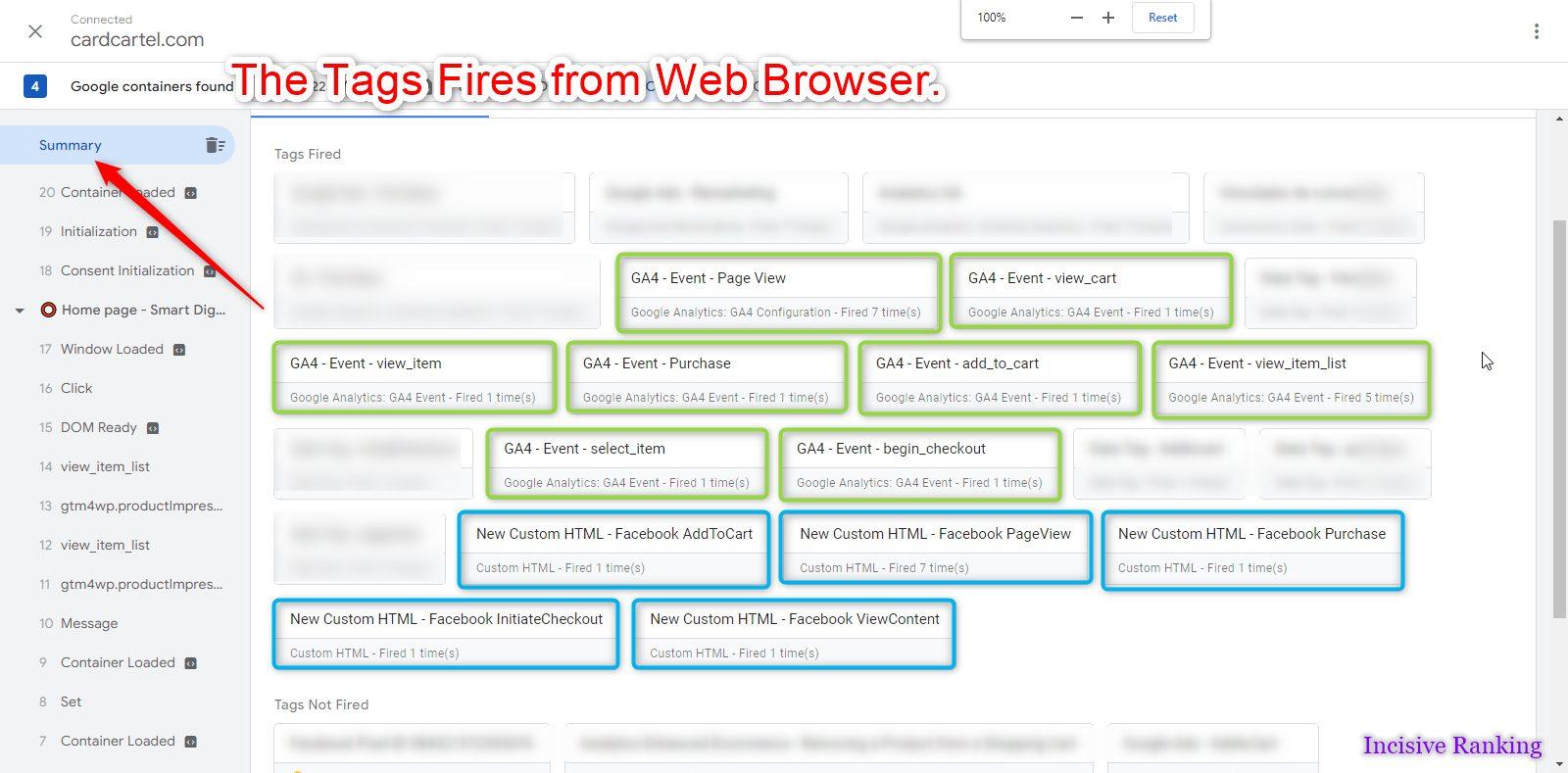
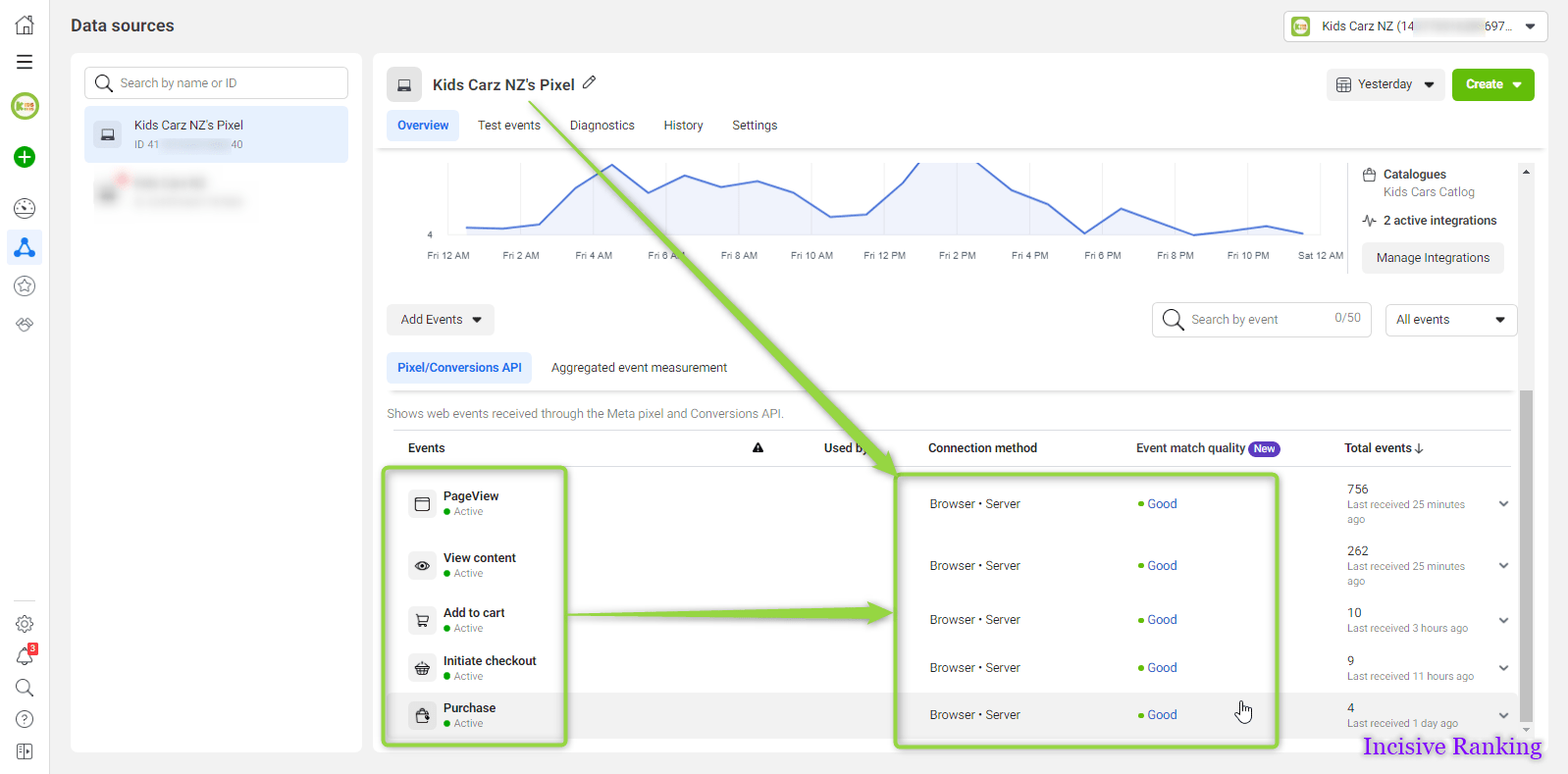
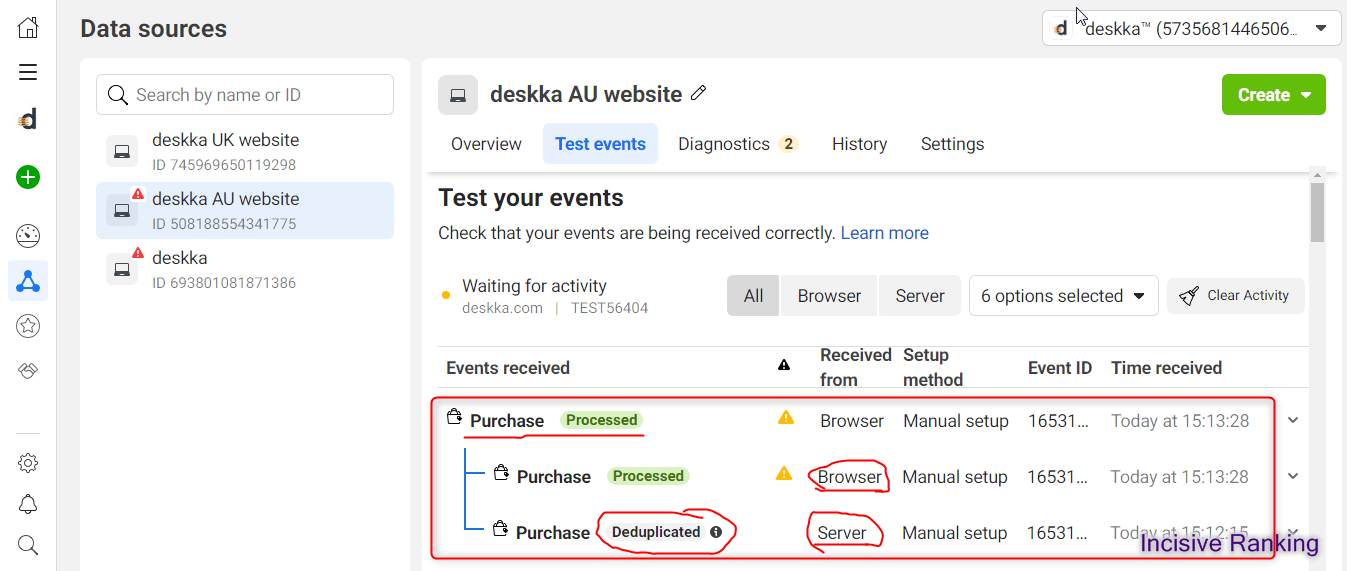
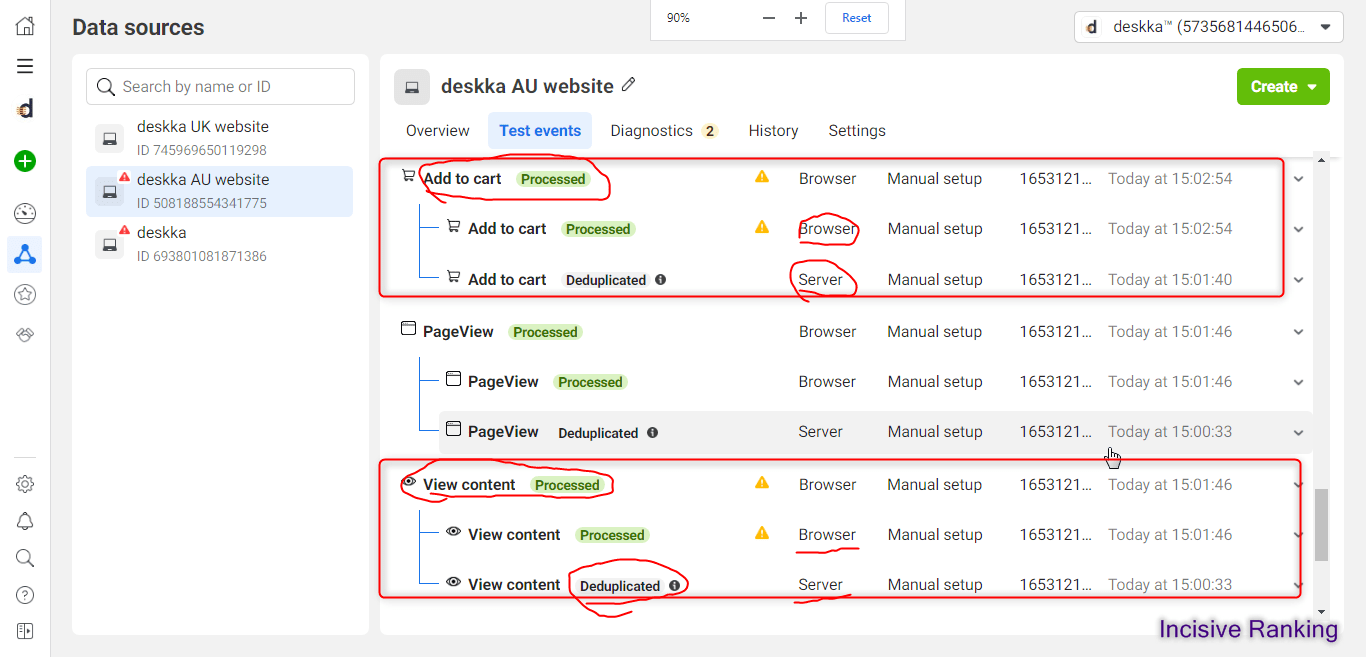
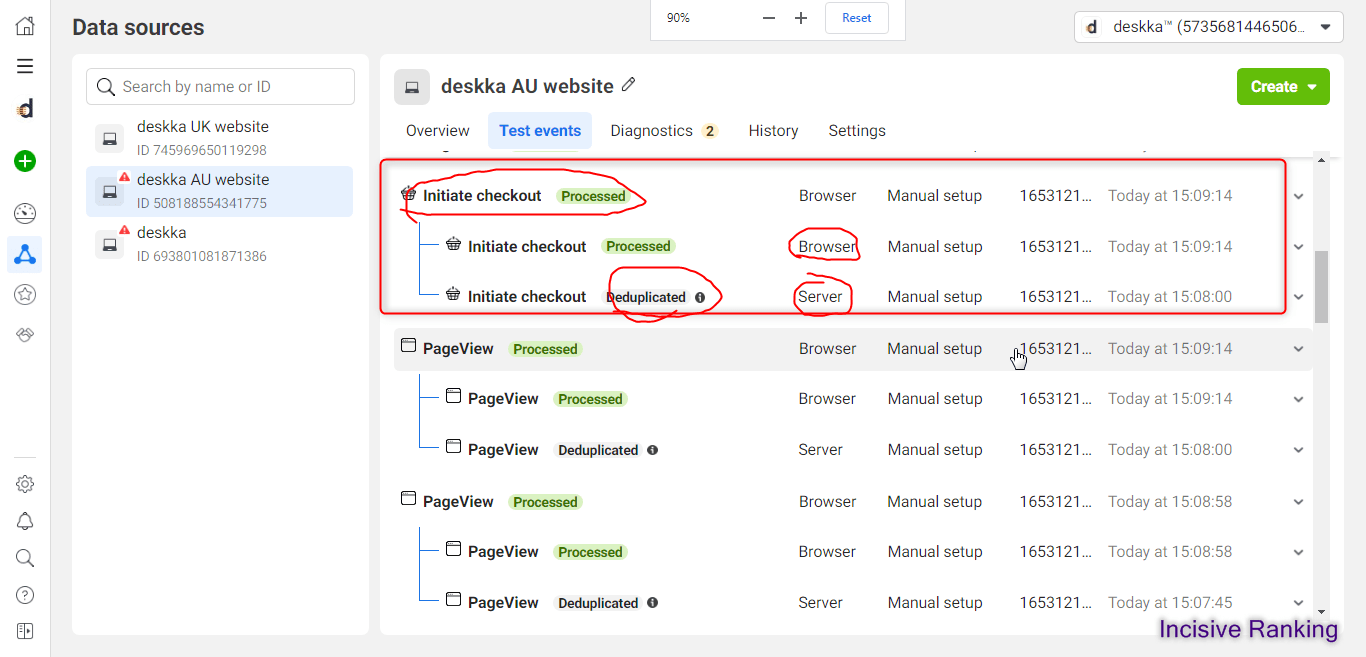
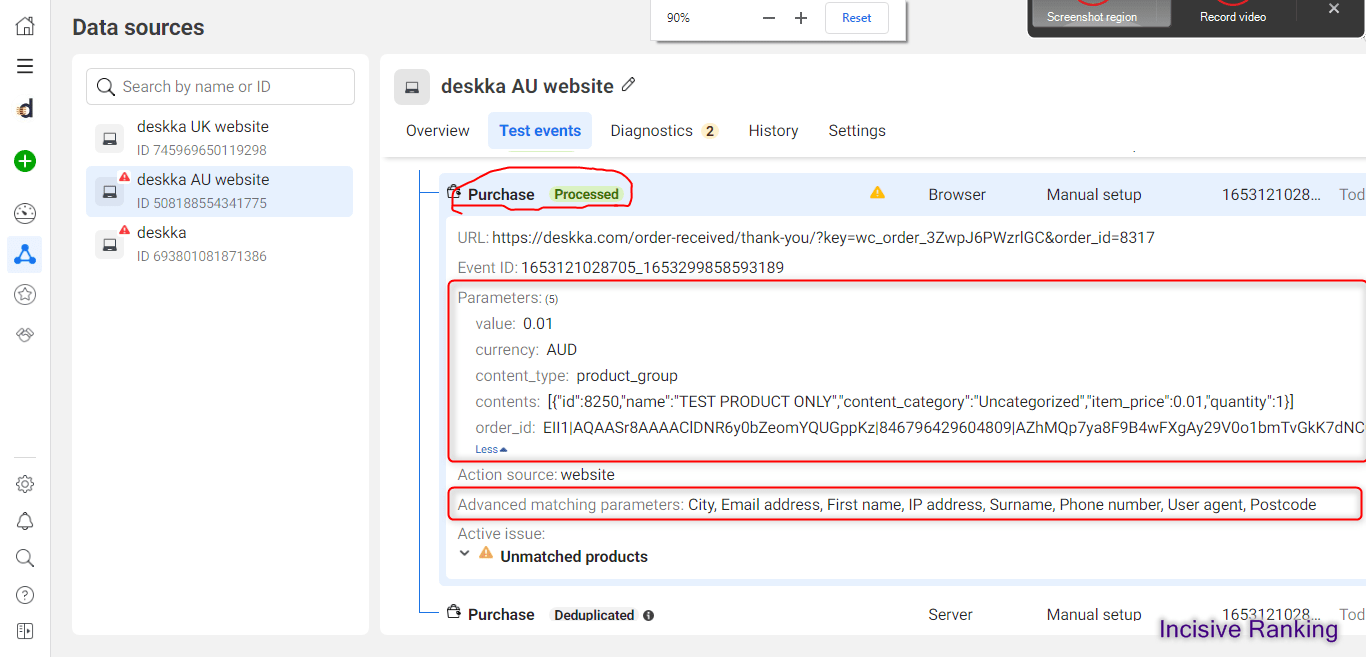
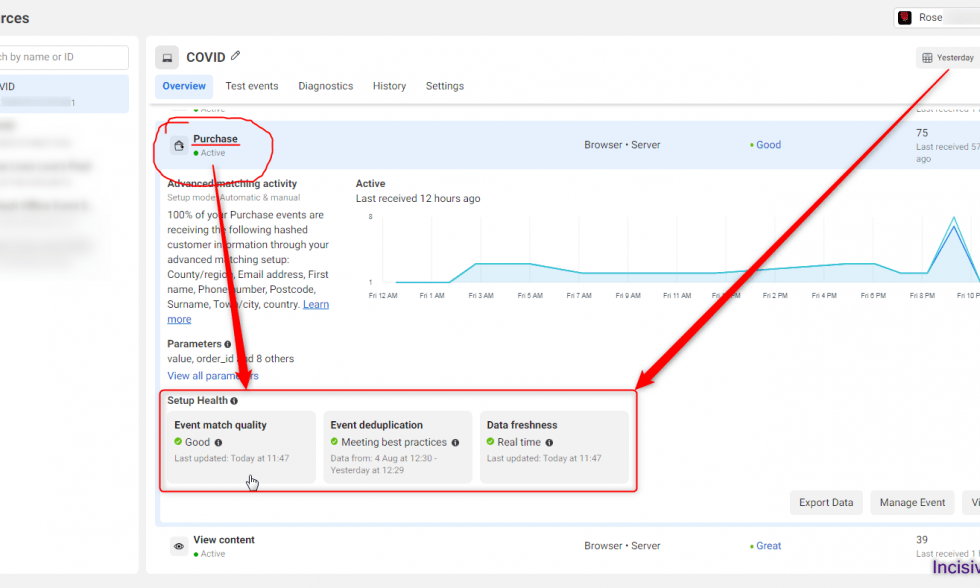
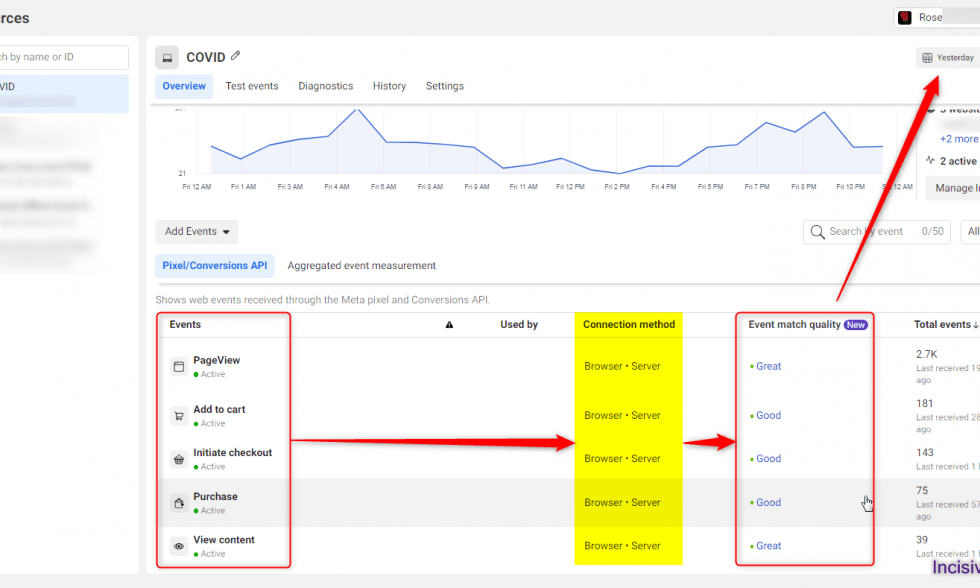
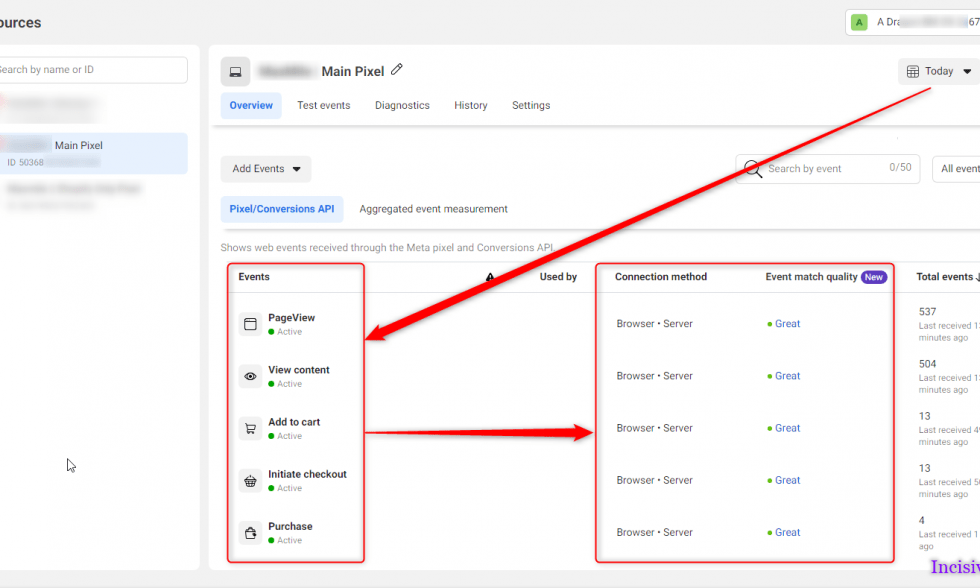
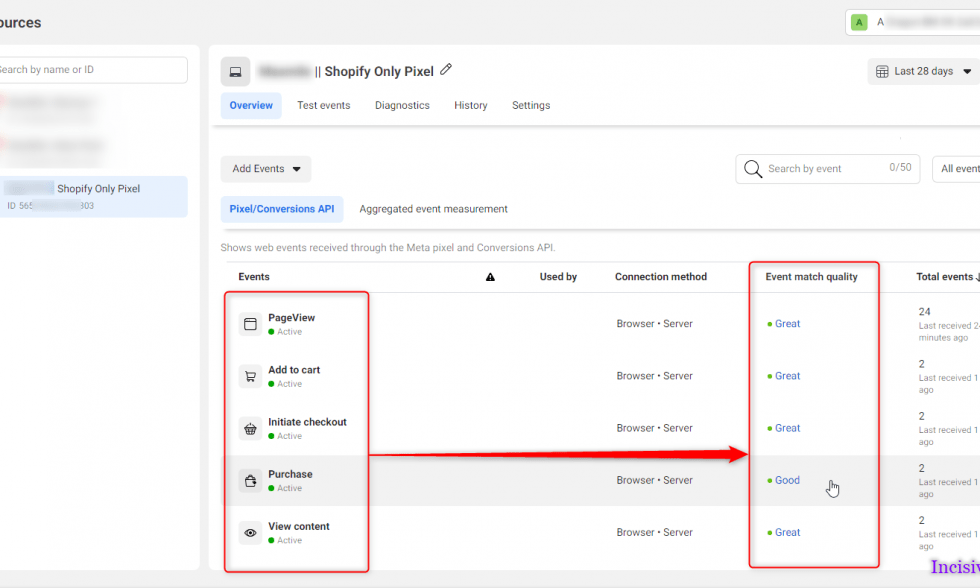
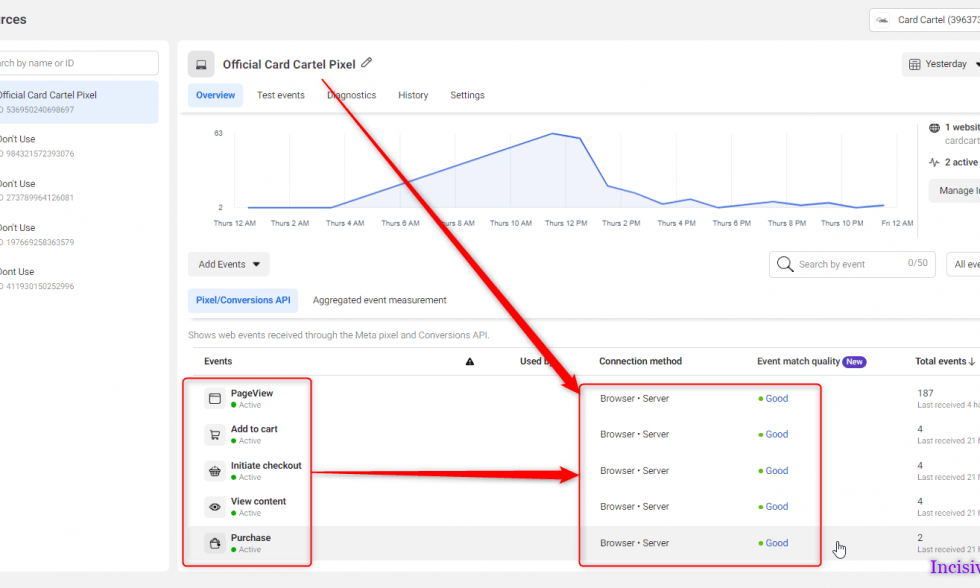
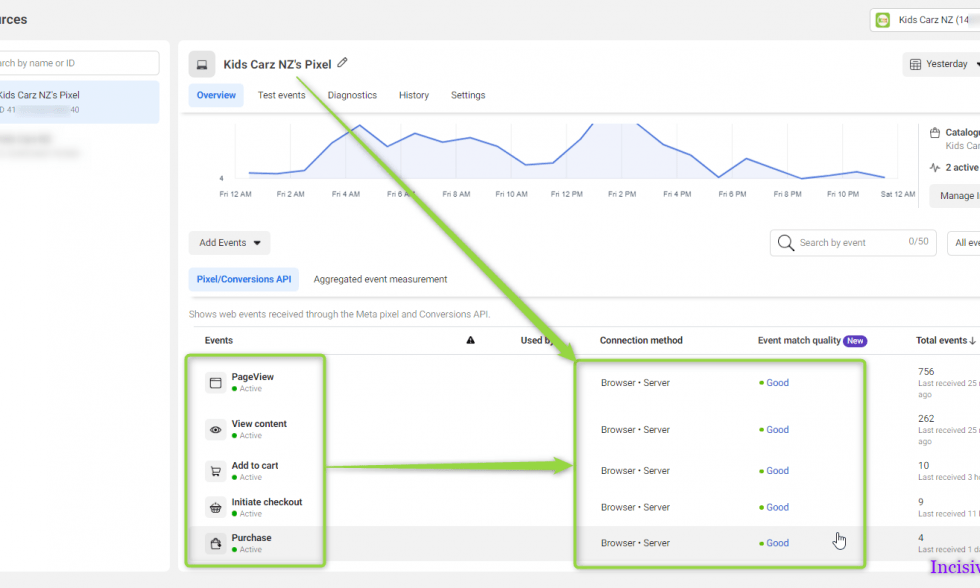
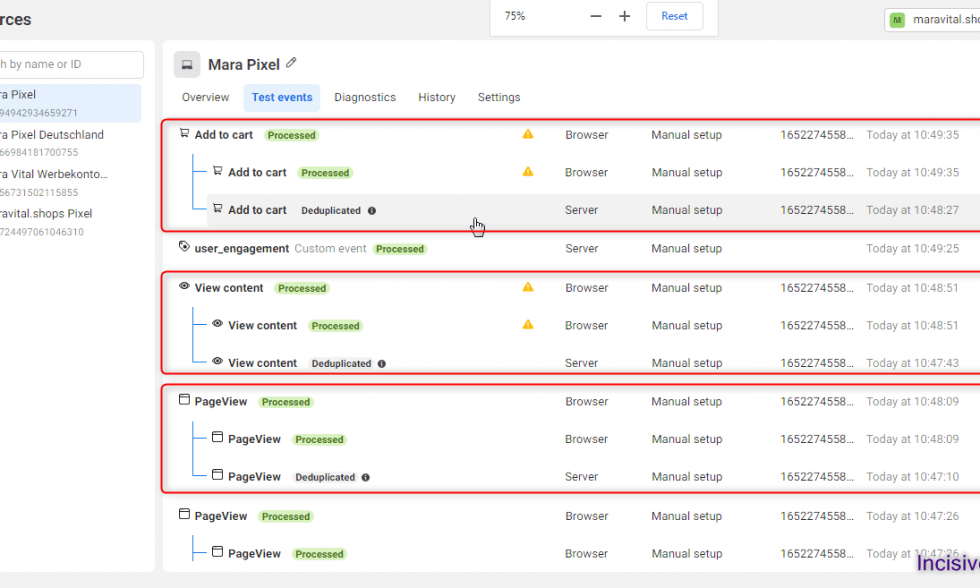
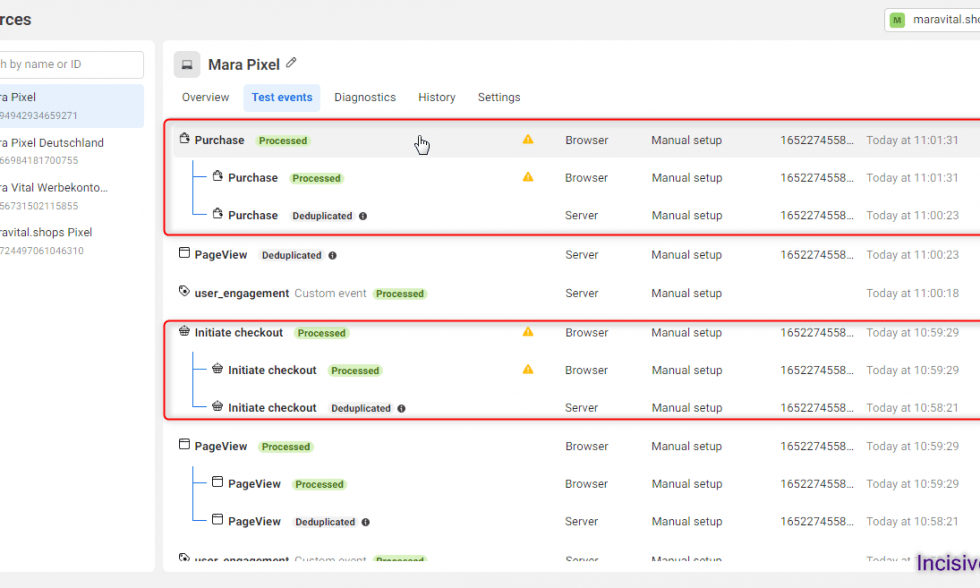
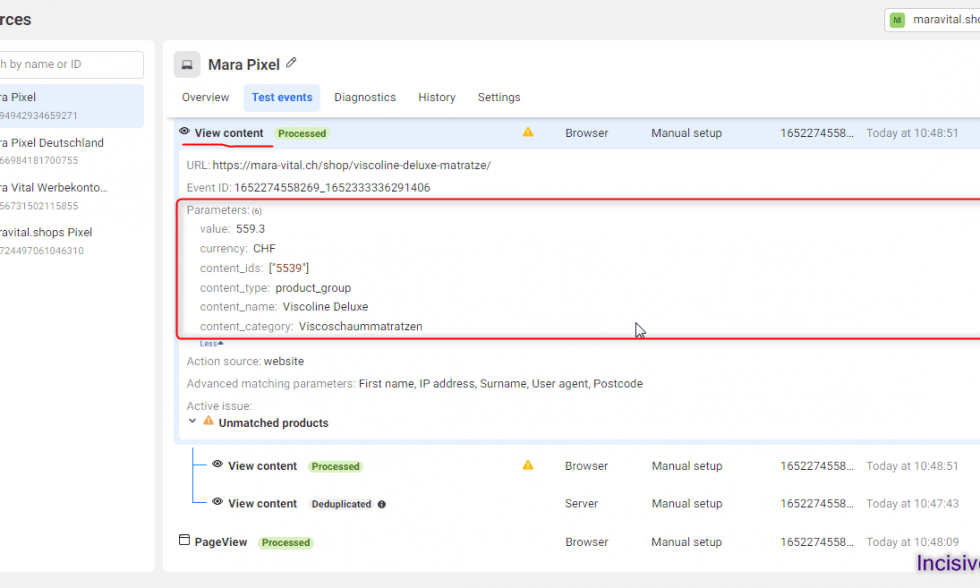
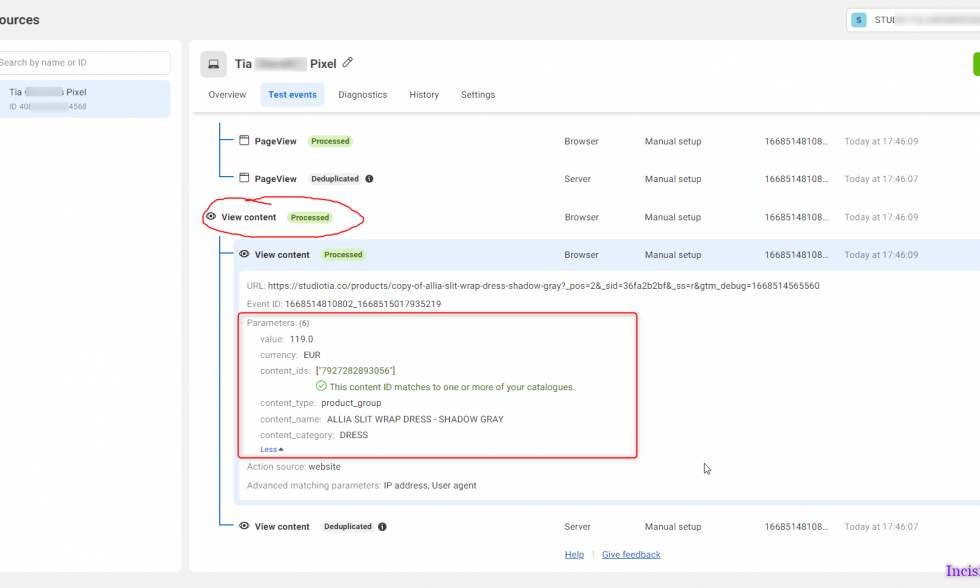
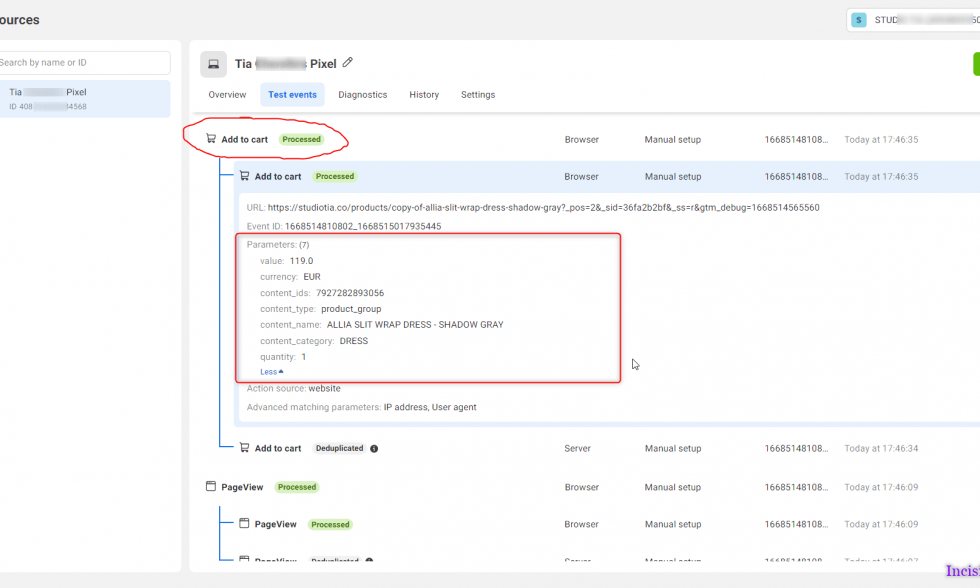
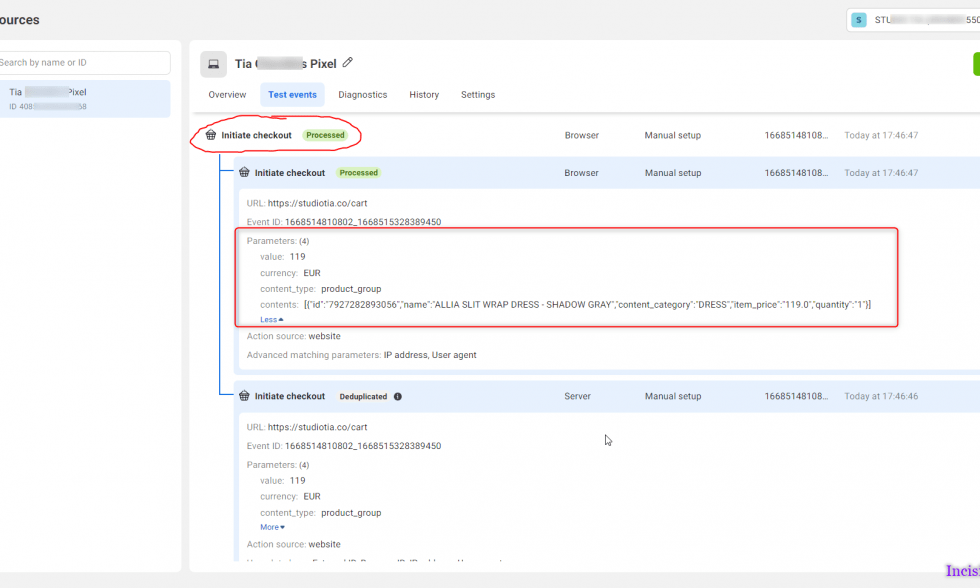
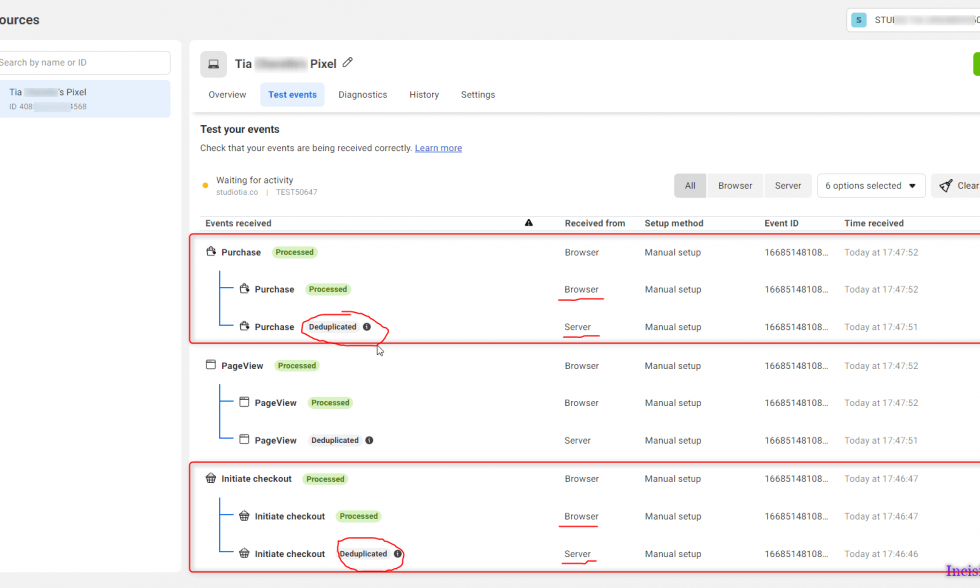
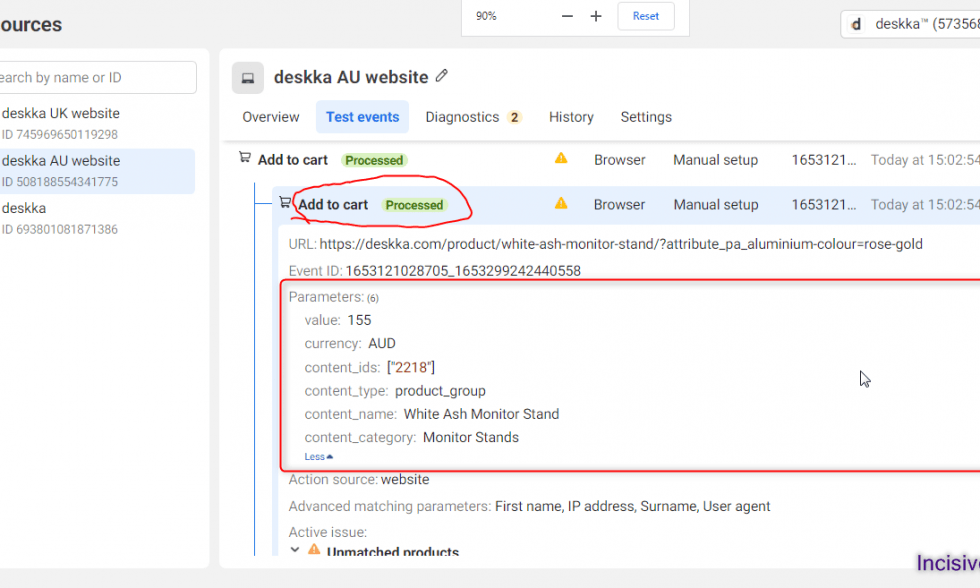
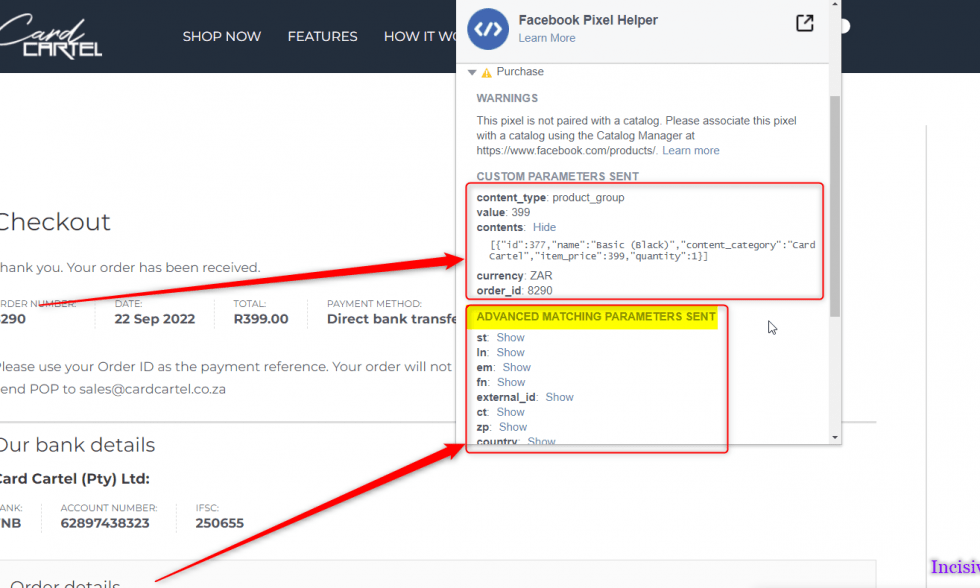
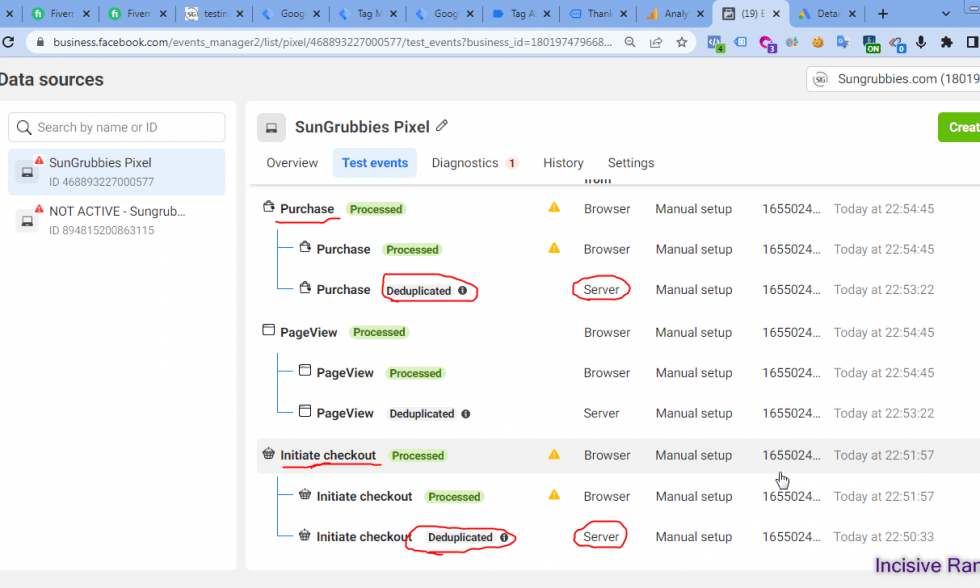
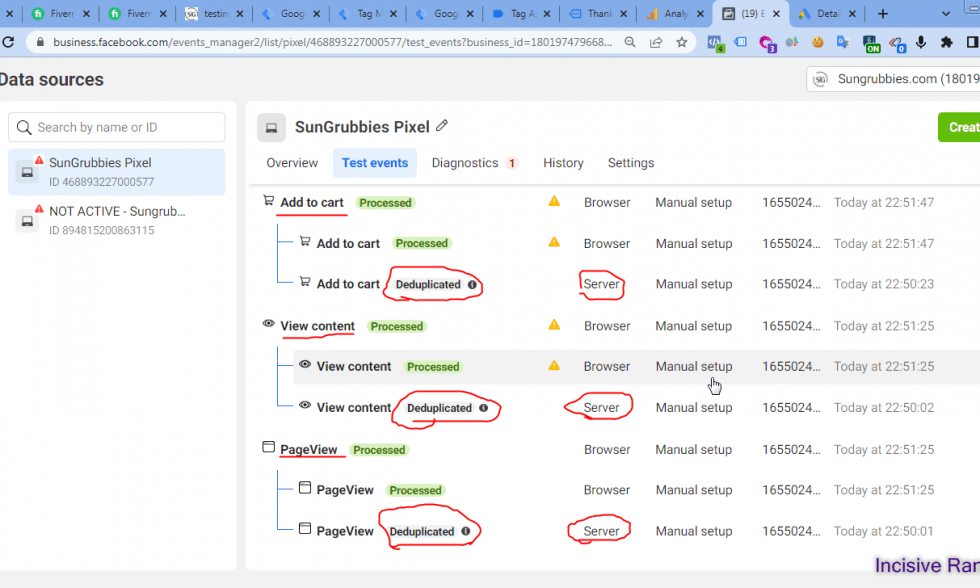
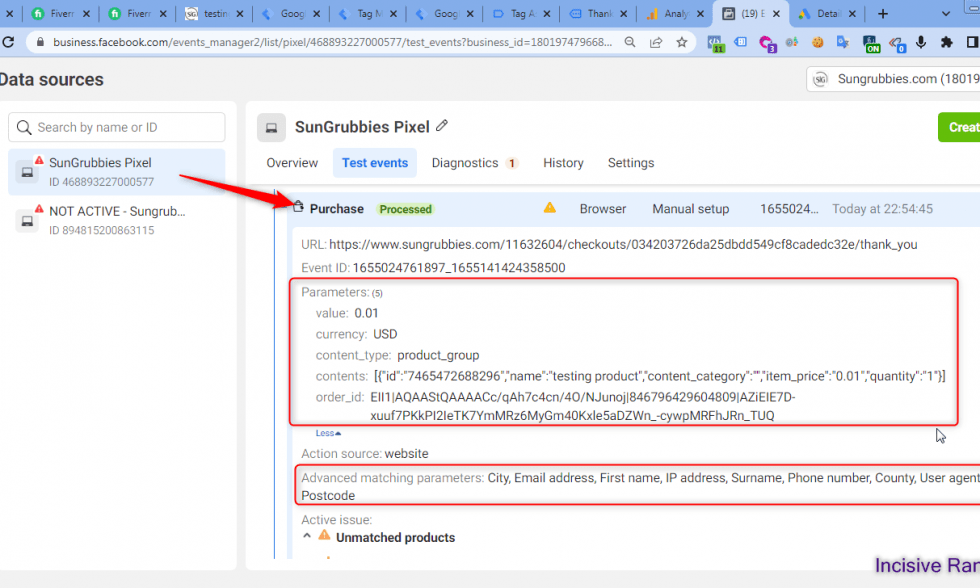
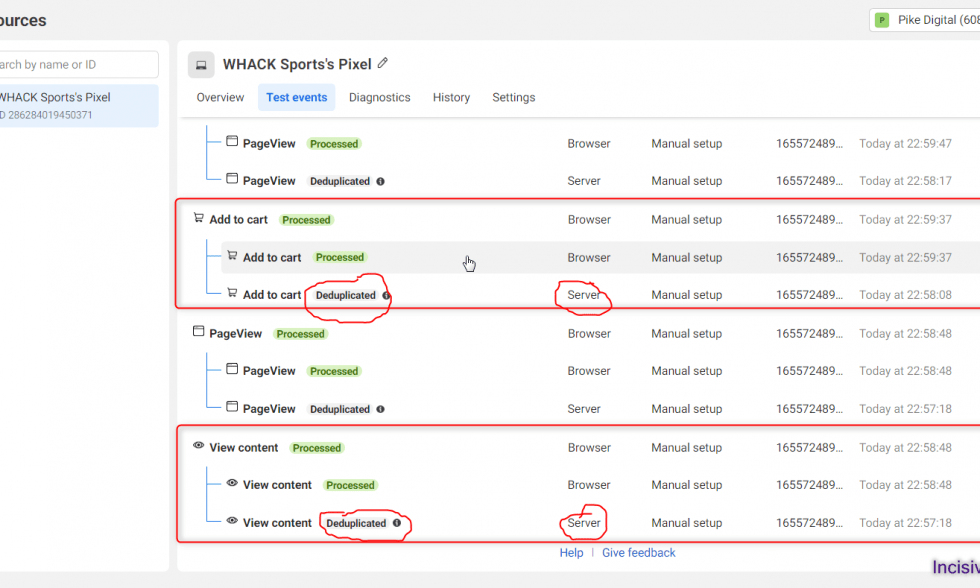
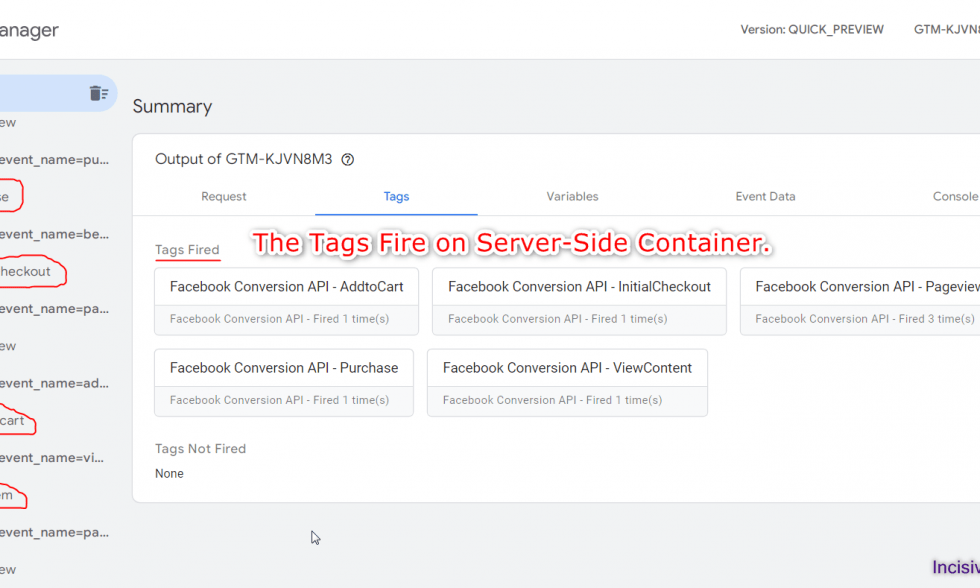
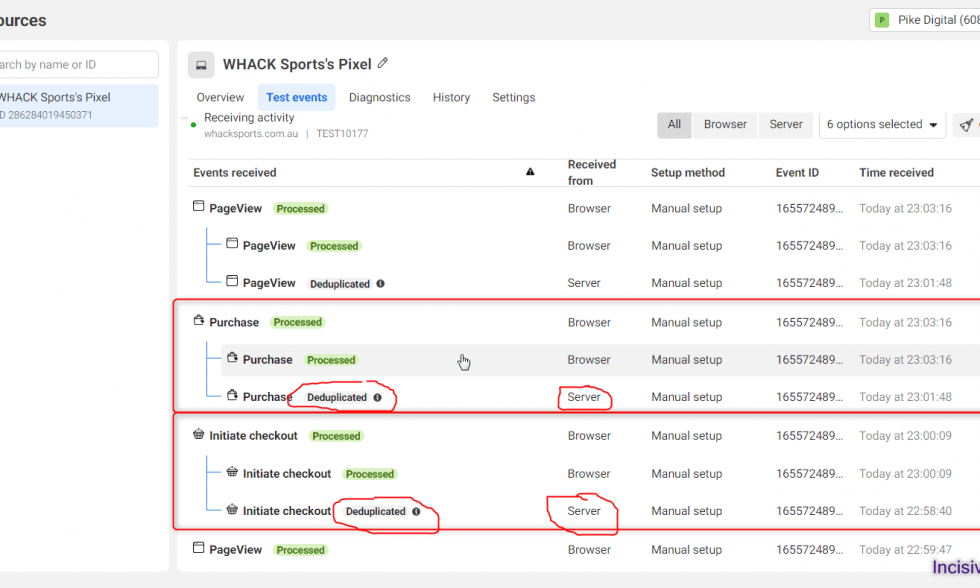
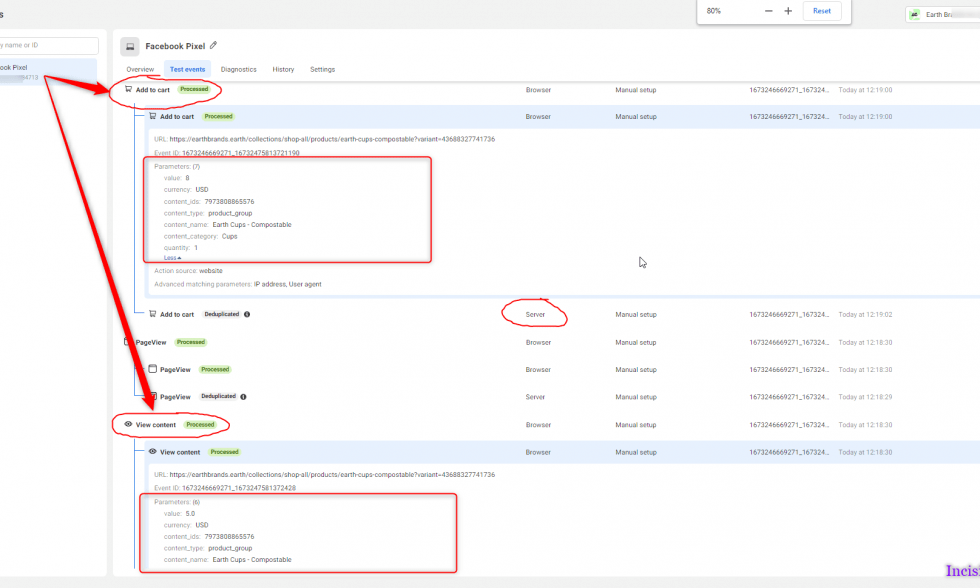
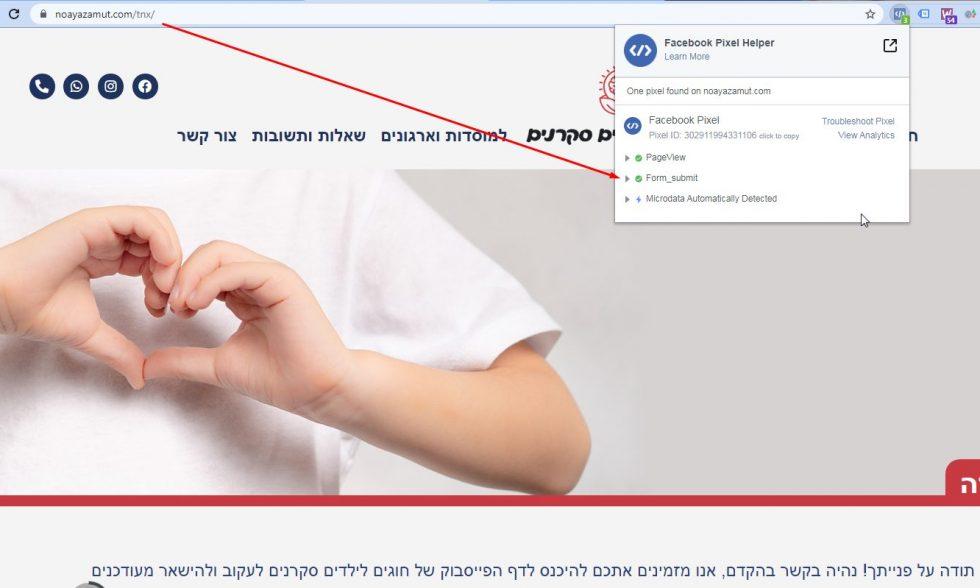
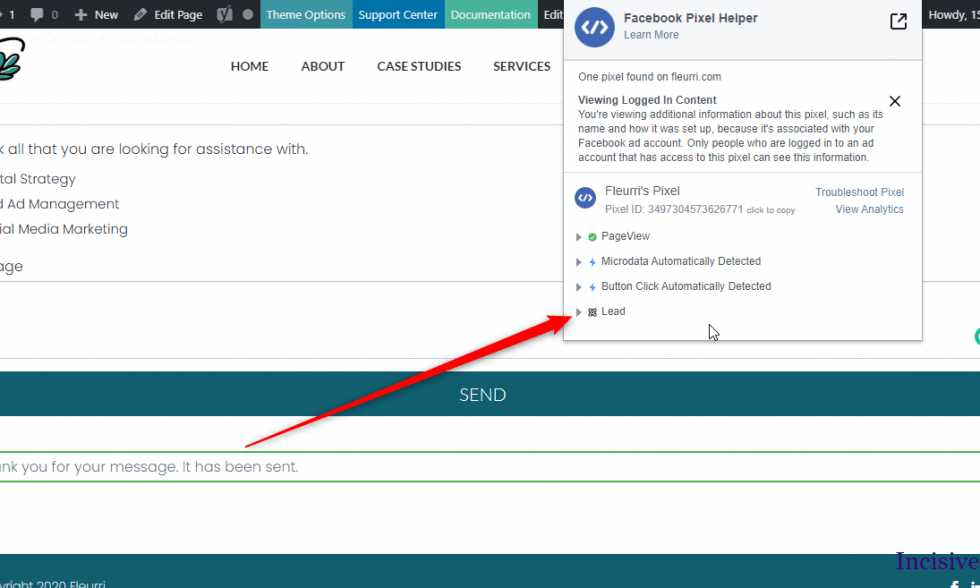
Here, I have attached the Successful Past Projects’ Results of my previous clients for Facebook Conversion API and Pixel integration
✅ Services Included in This Setup:
We don’t just install tags—we solve problems and maximize accuracy. Here are the core features of our advanced CAPI + Pixel setup :
- ✔ Facebook Conversion API implementation (server-side tracking)
- ✔ Complete Facebook Pixel setup (standard & custom events)
- ✔ eCommerce conversion tracking: ViewContent, AddToCart, InitiateCheckout, Purchase
- ✔ Event deduplication (syncing Pixel + CAPI via
event_id) - ✔ Advanced matching parameters (hashed email, phone, name, address, city, region, country, postal code)
- ✔ Custom Data Layer implementation for all events
- ✔ Platform compatibility: Shopify, WooCommerce, Magento, Wix, BigCommerce, WordPress, Custom CMS
- ✔ Post-iOS 14–16 privacy update fixes
- ✔ Pixel diagnostics cleanup and optimization
🛠️ Fixes for Common Facebook Tracking Issues
We often resolve:
- ❌ eCommerce revenue not tracked in Facebook Ads Manager
- ❌ Pixel not firing or recording events correctly
- ❌ Duplicate conversions due to poor deduplication
- ❌ CAPI setup missing or broken
- ❌ Errors flagged in Pixel diagnostics
- ❌ iOS privacy update attribution gaps
💡 We’ve implemented deduplicated, fully optimized Facebook tracking setups hundreds of times—reliably and permanently
🎯 Capturing Rich Conversion Data
We ensure every data point is captured:
- Product ID, Quantity, Name, Order Value, Currency, Transaction ID
- Hashed user info for enhanced matching
- Custom events: Form Submissions, Click-to-Call, Email Clicks
This setup keeps your data robust even under browser privacy restrictions
🚀 Why This CAPI + Pixel Setup Works
- Eliminates Wasted Ad Spend – precisely track which ads drive revenue
- Boosts Algorithm Optimization – Synchronized Pixel + server-side events feed Facebook’s ML model
- Future-Proofs Tracking – resilient to iOS updates, ad blockers, and privacy changes
- Maximizes ROAS – accurate, deduplicated server-side conversions elevate performance
👨💻 Why Clients Choose Incisive Ranking
At Incisive Ranking, we’re not just implementers—we’re conversion accuracy strategists. With over 8 years of experience and 2,500+ projects, we specialize in:
- 🏷️ Facebook Pixel & CAPI integration
- 📊 Google Tag Manager & server-side tagging
- 🛍️ eCommerce & conversion tracking across Shopify, WooCommerce, WordPress
- 🔄 Cross-platform server-side integration: Meta, GA4, Google Ads, TikTok, Snapchat, Pinterest
- 🎥 Setup walkthroughs and 3-month follow-up support
✅ Ready to Track Conversions with 90–95% Accuracy?
Book a Free 30‑minute Tracking Transformation Call and unlock powerful, privacy-first conversion tracking with Facebook CAPI and Pixel.
Facebook Conversion API












Custom Conversion Tracking


Utilizing the Facebook Pixel Tracking Advantage for eCommerce Success
What is Facebook Conversion API?
The Facebook CAPI is a server-side mechanism/tool that enables advertisers to track customer actions on the server rather than the browser. Sharing this information with Facebook allows it to improve Facebook pixel conversion event monitoring in order to increase the performance and results of Facebook ads.
How does Facebook CAPI work?
Although this may appear to be a complex process, it can be simplified by breaking it down into stages.
Here’s a basic overview of how the Facebook Conversions API works:
- The customer navigates to the website.
- A Facebook Pixel conversion event must be installed on the website. Cookies are used by Facebook Pixel conversion event to store first-party user data.
- The server will save user information with IP addresses, user agents, Google Analytics client_ids, and other characteristics.
- When a user (through their saved user data) causes an event, the server sends a request to the Facebook server, including information about the event and such user data. (Example, You can use Facebook conversion API custom events to capture customer information parameters – email, first name, last name, phone number, street, city, region, country, and postal code).
What is Facebook Pixel?
The Facebook pixel is a piece of code that you add to the backend of your website to track visitors. while a visitor visits a page on your website with the pixel installed, you can offer them advertising while they scroll through their Facebook feed. This tool solely collects data via a user’s browser.
The Facebook Pixel conversion event and Facebook Conversion API work together to collect accurate user data and deliver better ad experiences.
How does Facebook Conversion API benefit business?
Facebook CAPI benefits businesses by:
- Providing better audience insights: This tool allows you to gain greater insights into customer journeys by monitoring customer behaviours in various ways. As a result, businesses will be able to optimize the ads and do effective marketing for the target demographic.
- Improve targeting: CAPI tracking allows businesses to collect more accurate data for their ad campaigns. They can use this tool to collect data on conversions, page visits, and more. As a result, the precision of Facebook ads targeting and optimizations improves, allowing businesses to execute stronger ad campaigns.
Learn how the Facebook Conversion API is setup through Google Tag Manager.
Facebook Conversion API setup is a bit tricky process just like Pinterest Conversion Tracking Setup, but if you are an expert then you can setup easily through GTM.
- Create a New Pixel in Facebook Business Manager- in Data Source.
- Copy the Pixel ID and Token code from Facebook Pixel.
- Create the required tags and triggers in GTM.
- Paste the Pixel ID and Token code in GTM Tag.
- Test and Publish the GTM Container.
Conclusion
The Facebook Conversion API (CAPI) represents a significant advancement in Facebook Ads tracking, allowing advertisers to gain more accurate and comprehensive insights into user interactions with their campaigns. By enabling server-side tracking, With Facebook Conversion API setup through Google Tag Manager, advertisers can capture valuable conversion data directly from their servers, ensuring a more complete and privacy-friendly view of user activity. This approach not only enhances data accuracy but also helps advertisers adapt to changes in the digital landscape, such as increased privacy measures and browser restrictions.
Please contact us if you have any queries about configuring or tracking conversions in Facebook. We would be delighted to assist you in getting started.
Let’s Audit First, Why is it Required?
Tracking errors can greatly affect your Data, Conversion Reporting, strategic Decision-Making and that Cost you in Revenue.
First, I audit your website’s current Tag & Tracking configuration. Then I will share errors/recommendations with their solutions as the best practices the industry follows. I can also help you to implement it the right way.
I am available here!
Find Me On


